Web Query Statistics Platform
一、Login
Open the "Switch Communication Management System WEB Query Statistics" software, which will automatically launch the browser and display the user login interface
Username: admin
Password: 88888
Click "Login" to enter the WEB page
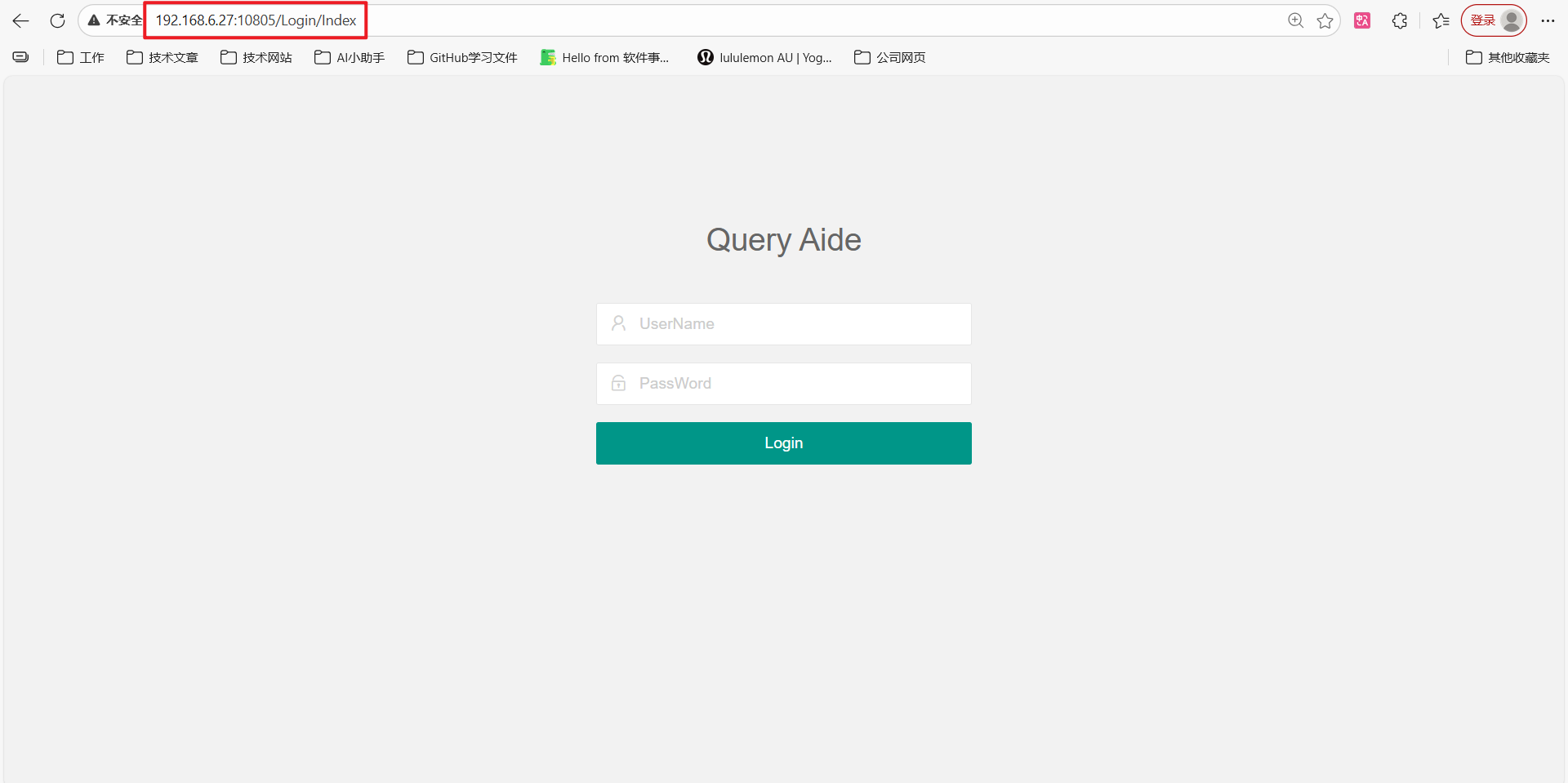
http://127.0.0.1:10805/Login/Index,This address is the billing server access address
In the same local area network, you can change the billing IP 127.0.0.1 to the IP address of the installed WEB server for access
For example: http://192.168.6.27:10805/Login/Index
Username: admin
Password: 88888
If other administrators are set up on the server side, you can log in directly with the administrator account
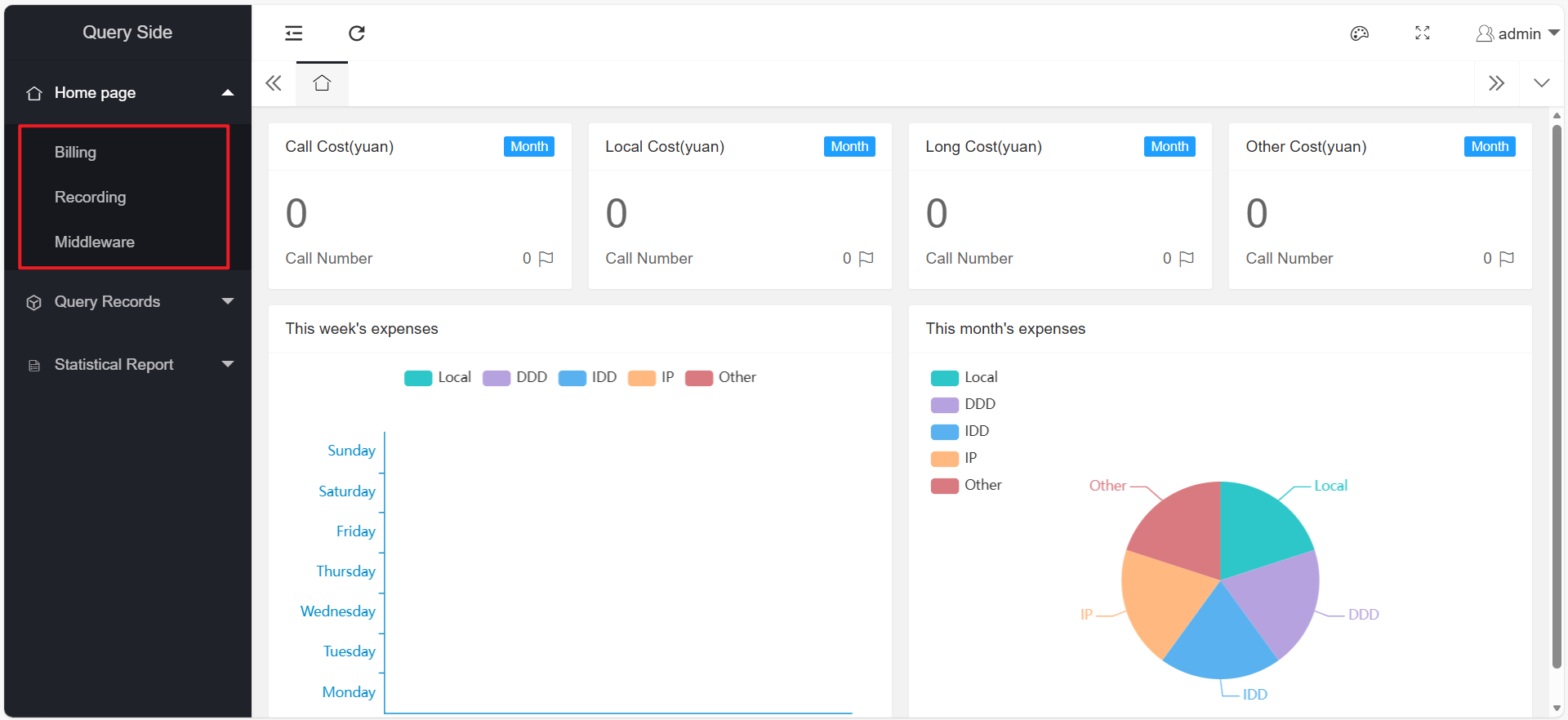
Upon entering the page, it is primarily divided into "Home," "Query Records," and "Statistical Reports."
Here is the screenshot:
二、Homepage
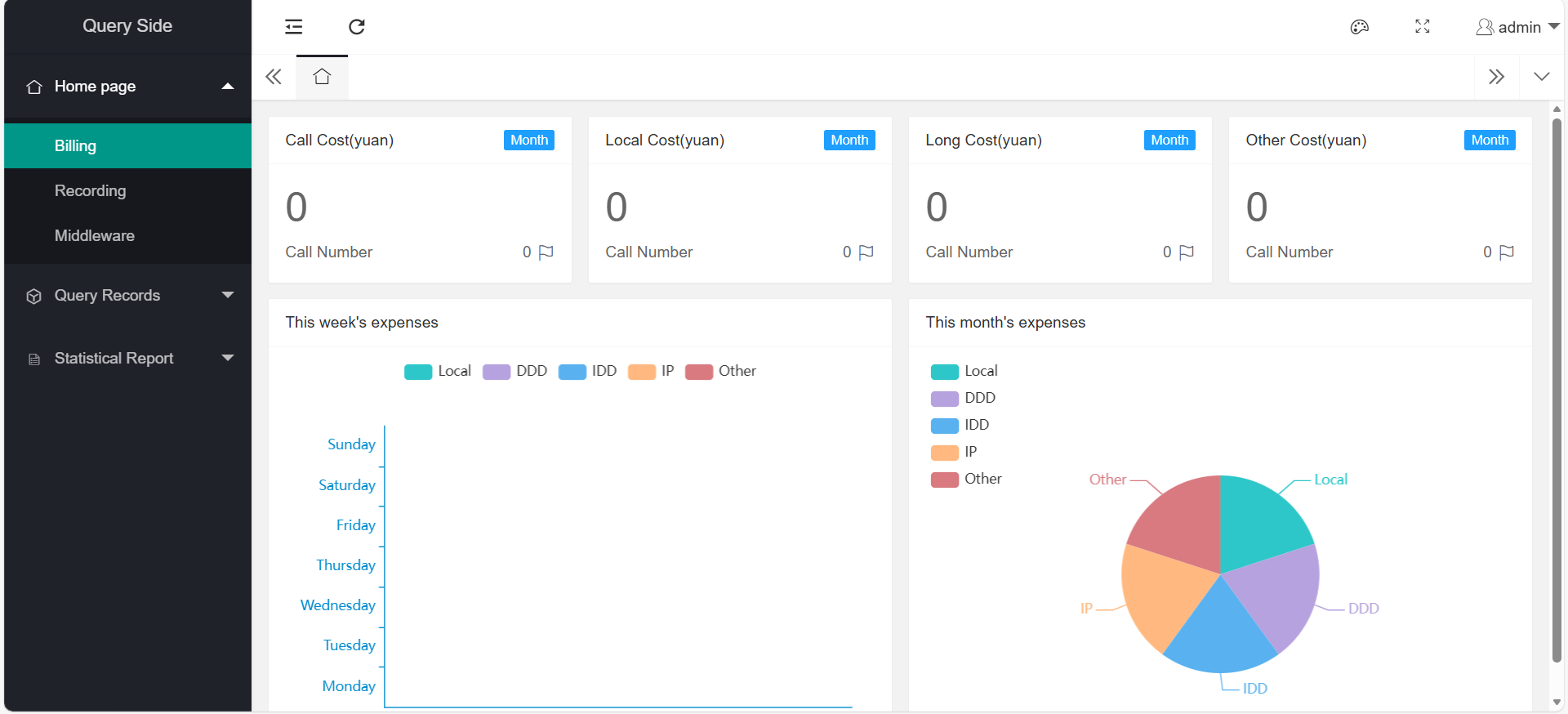
1、Billing
The billing homepage mainly calculates the current month's phone bills and displays corresponding statistical charts
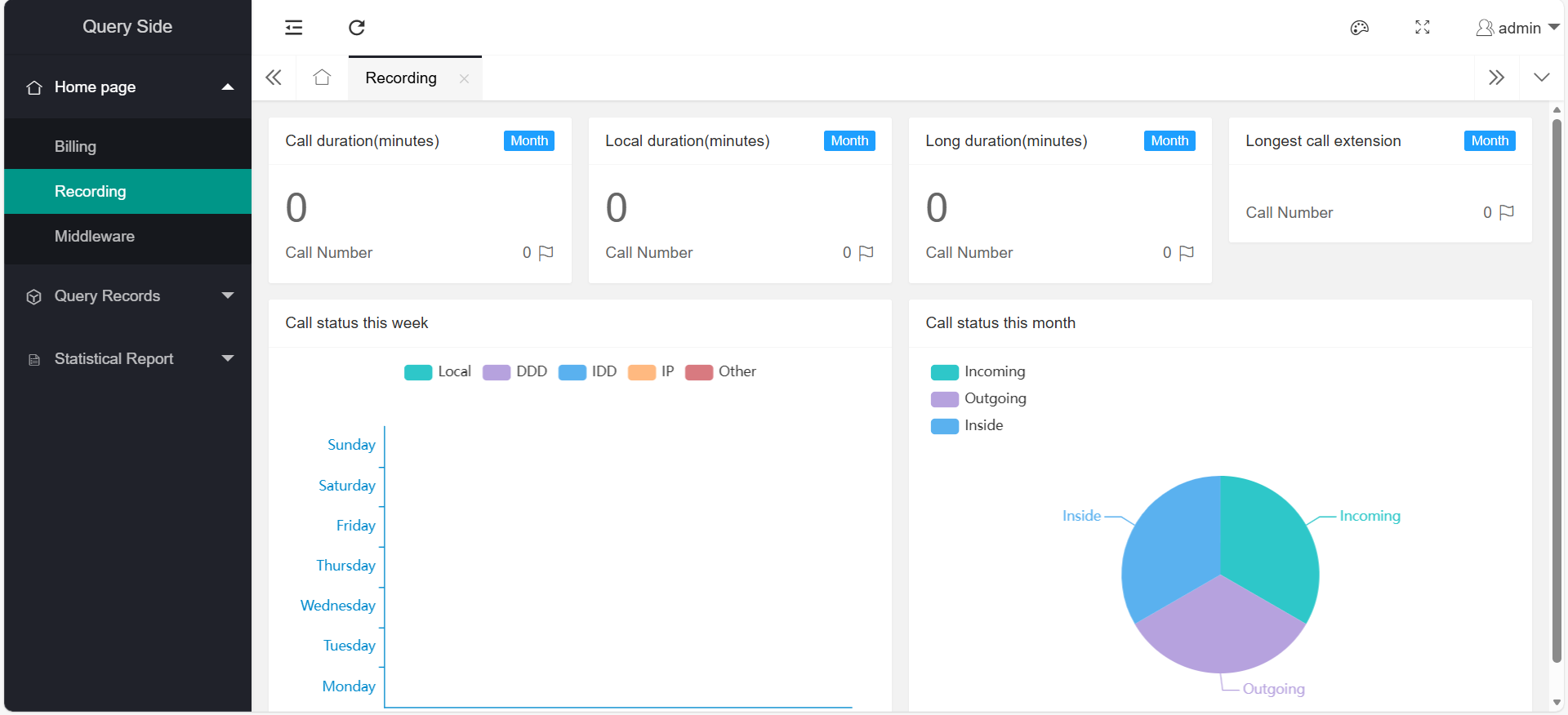
2、Recording
The recording page mainly displays the recordings of the current month and the corresponding statistical charts
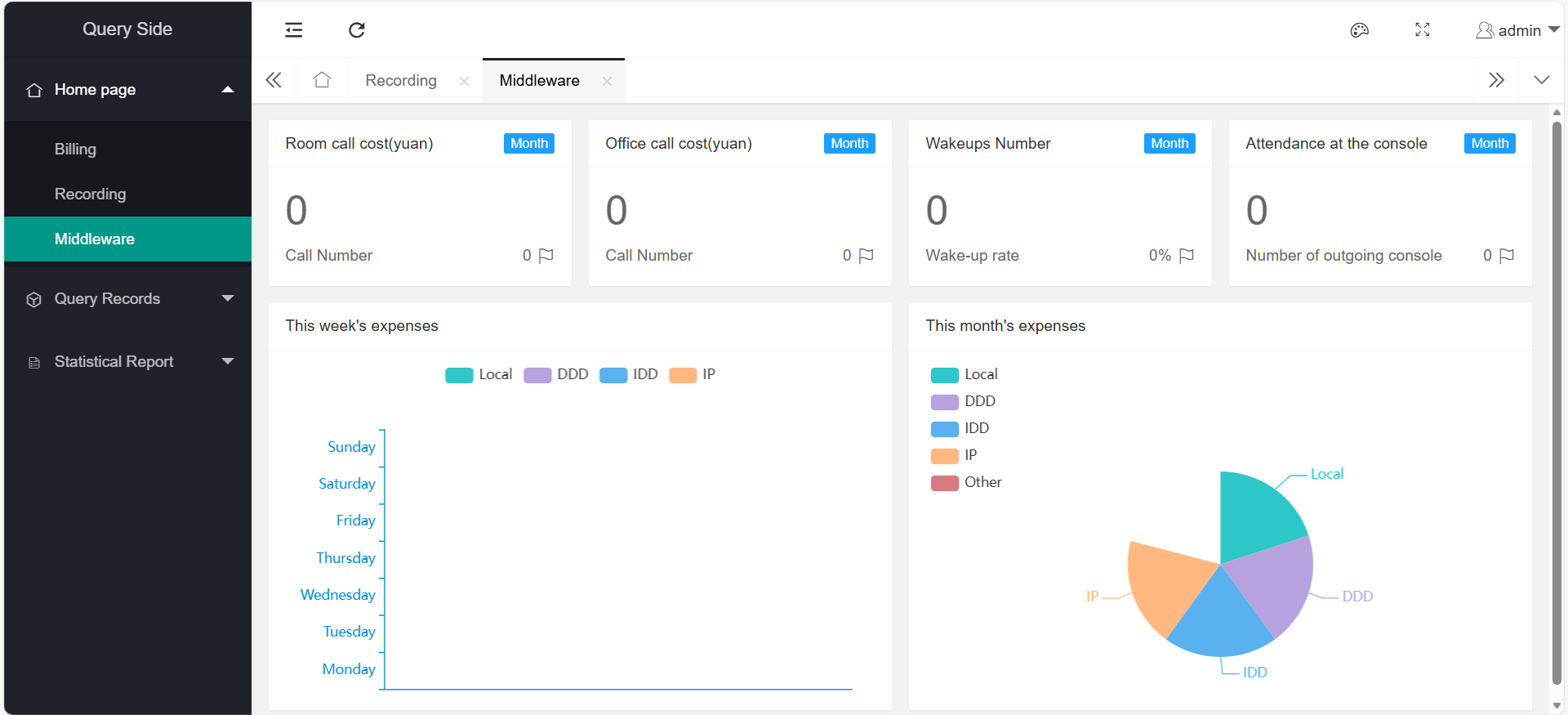
3、Middleware
The middleware page mainly counts the corresponding number of related operations for the current month and displays the corresponding statistical charts
三、Query recording
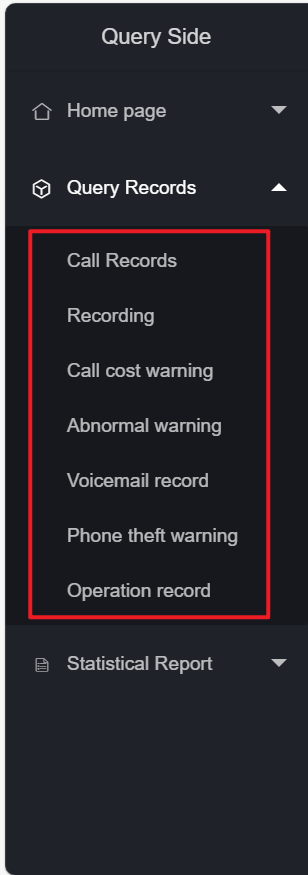
The query records mainly have the following functions (as shown in the figure below)
1、Call Log
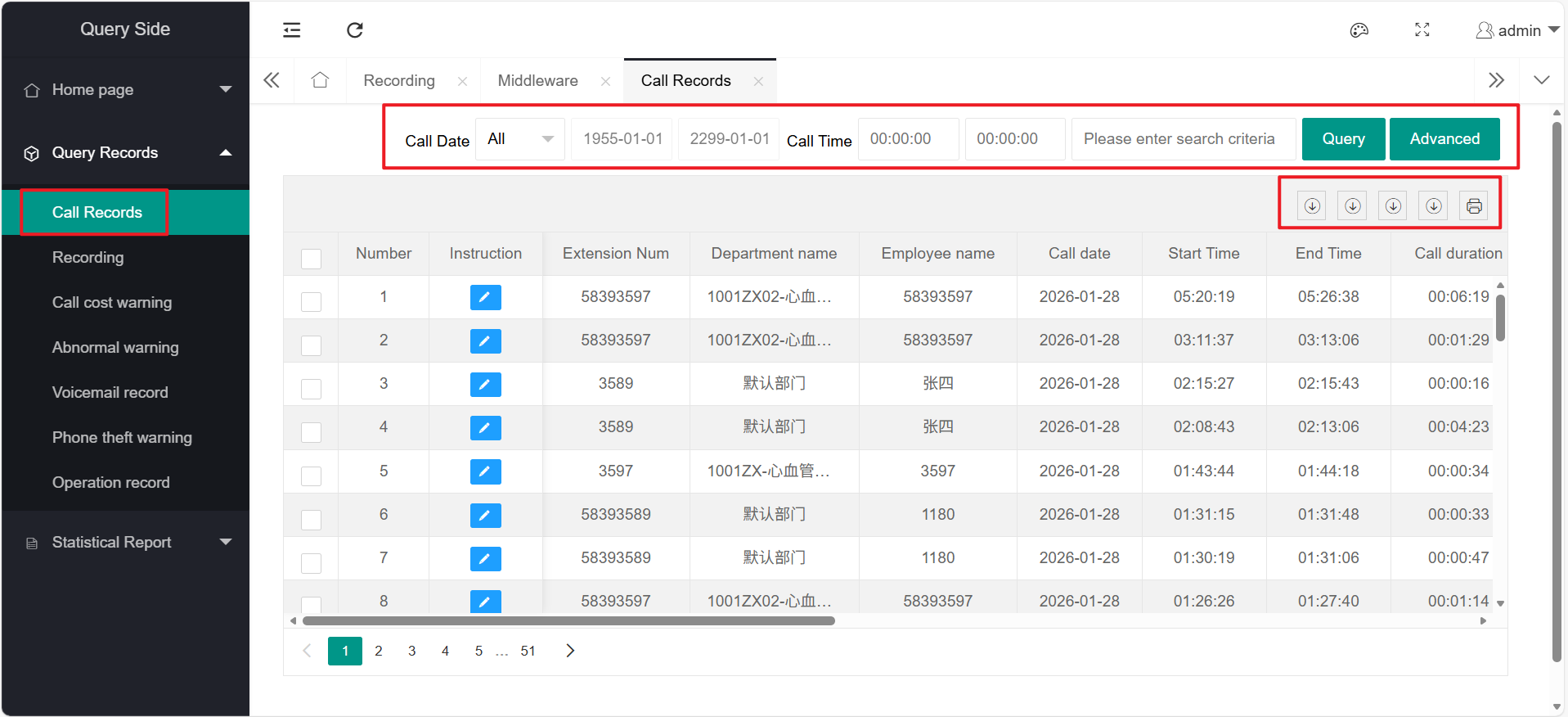
The call record function includes: query, advanced query, export, and print
(1) Search
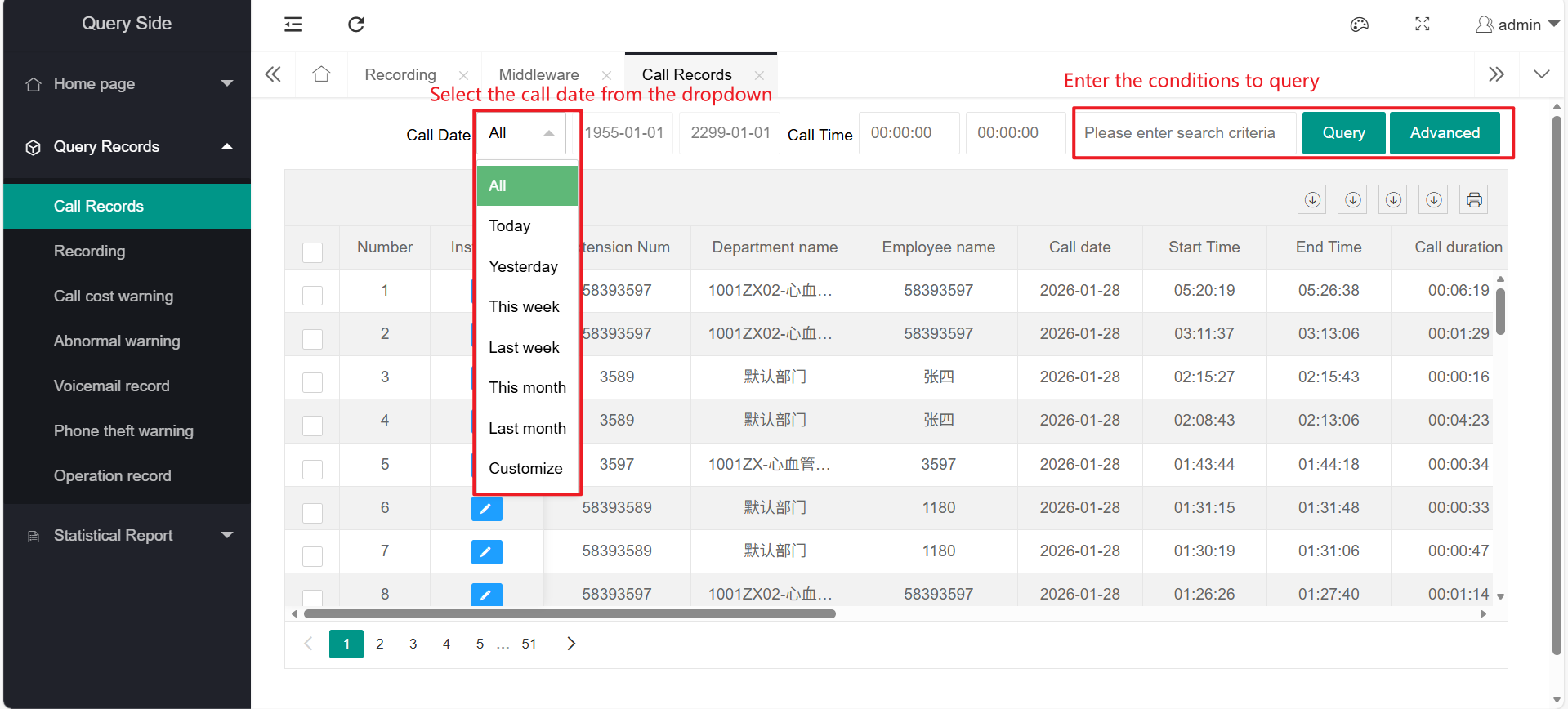
For regular queries, you can select the call date for which you want to check the bill of lading: you can choose from the drop-down menu
You can enter the conditions to be queried in the input box
(2) Advanced Query
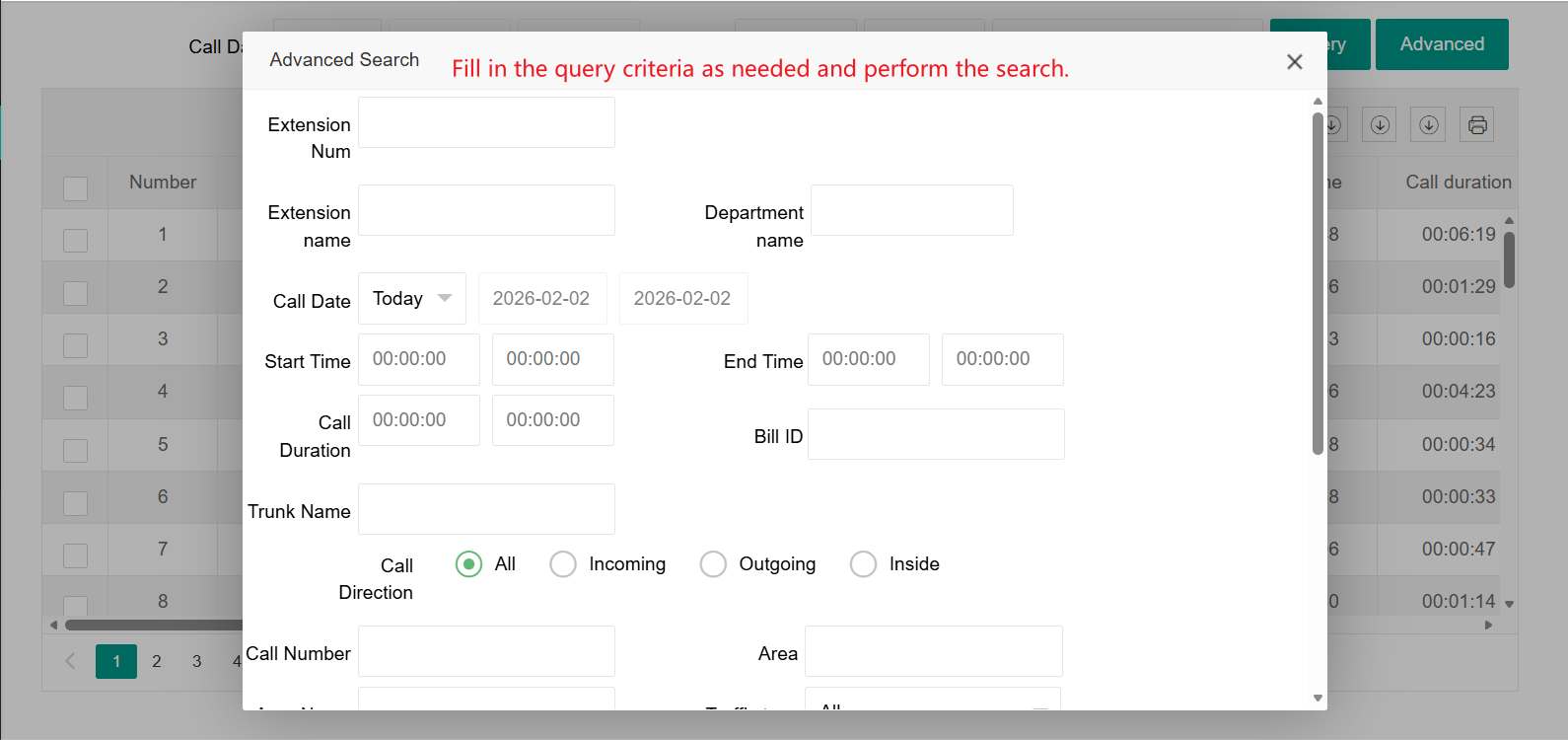
Clicking on 'Advanced Query' will bring up an advanced query page
Fill in the query requirements according to the needs and conduct detailed queries
For example:
(3) Export
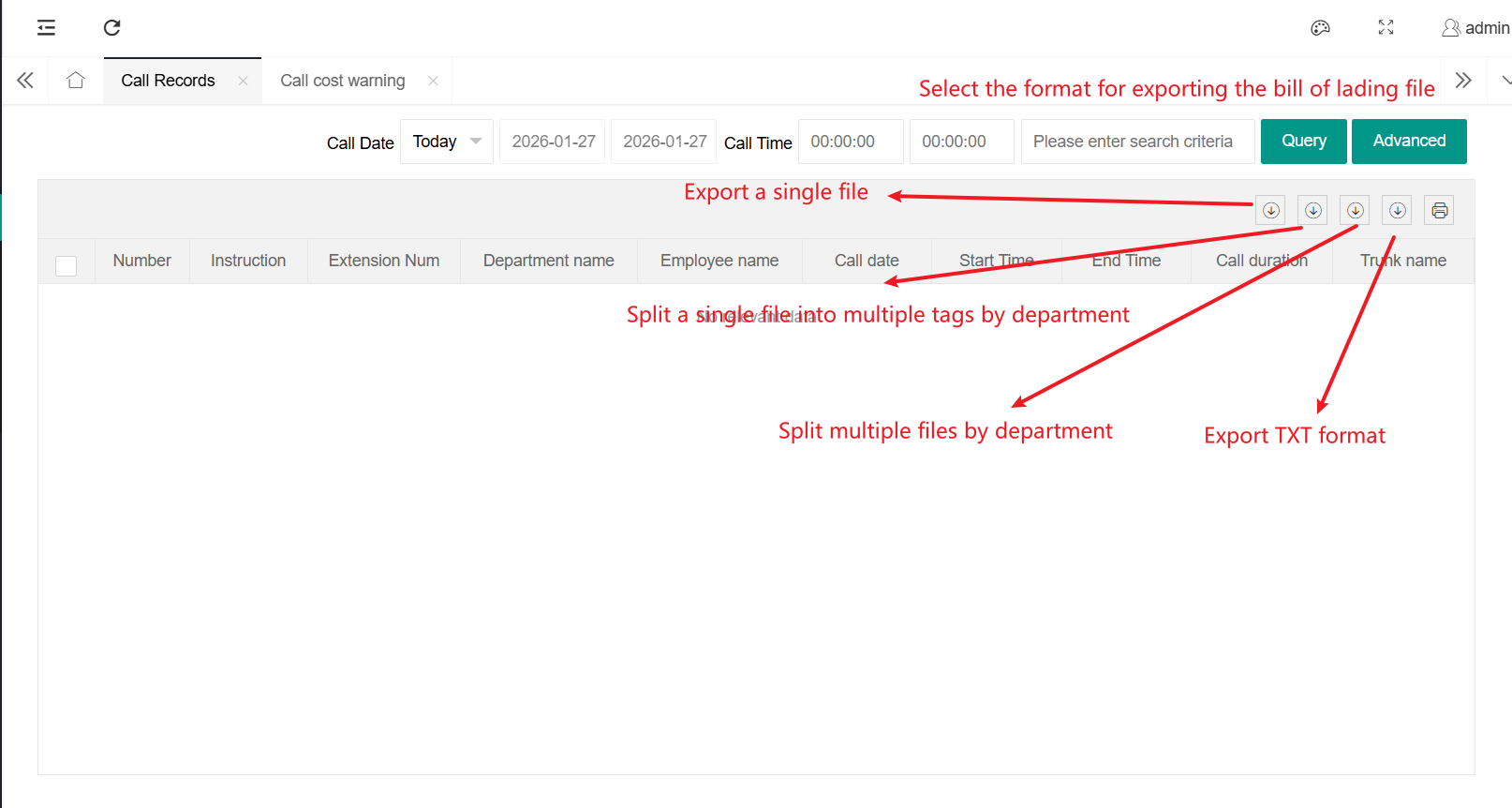
Retrieve the call list, select the file type to export according to the requirements, and export the call records
For example:
(4) Print
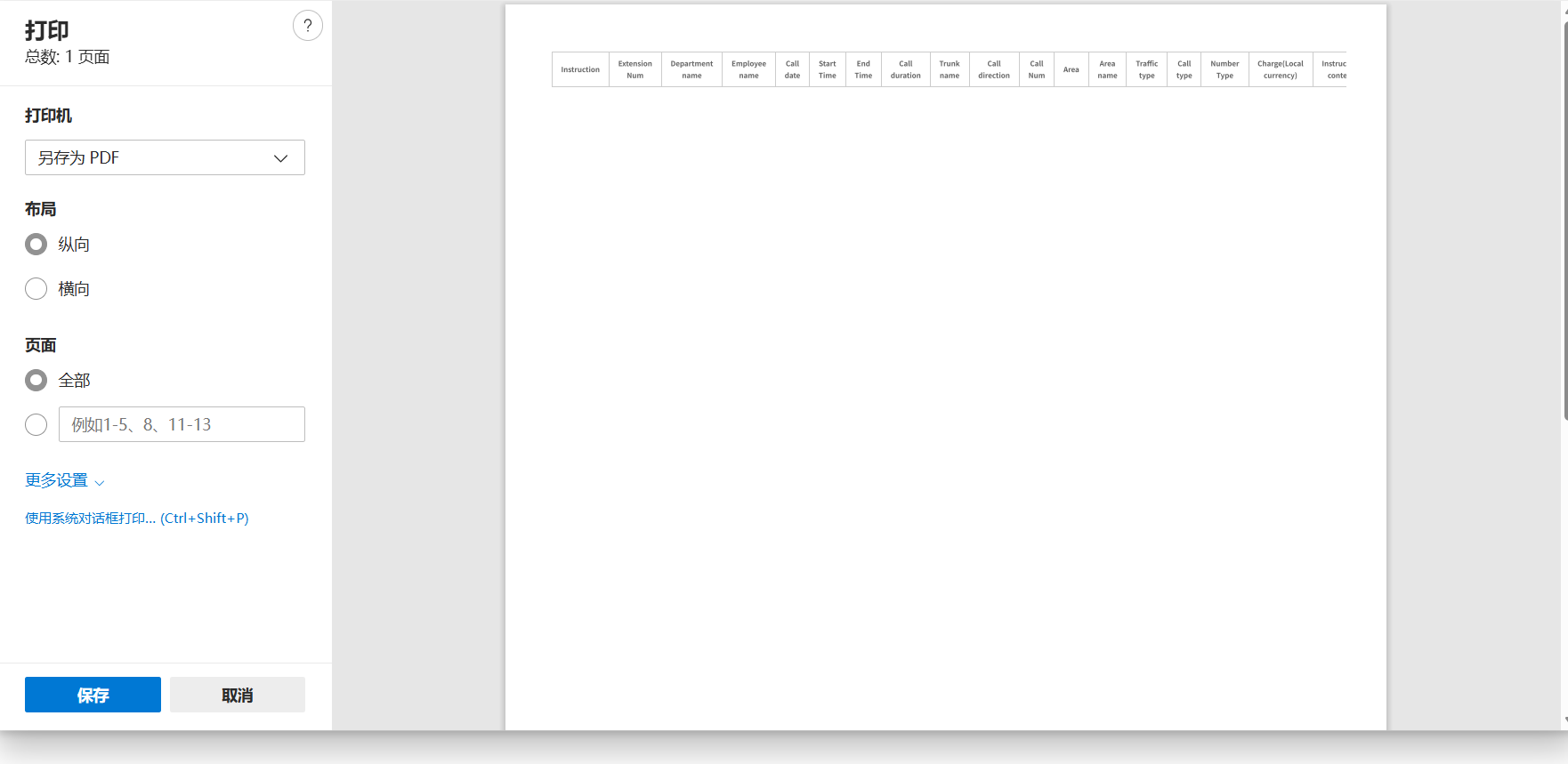
After querying the bill of lading, click "Print", set the printing information, and click "Print" to complete the process
For example:
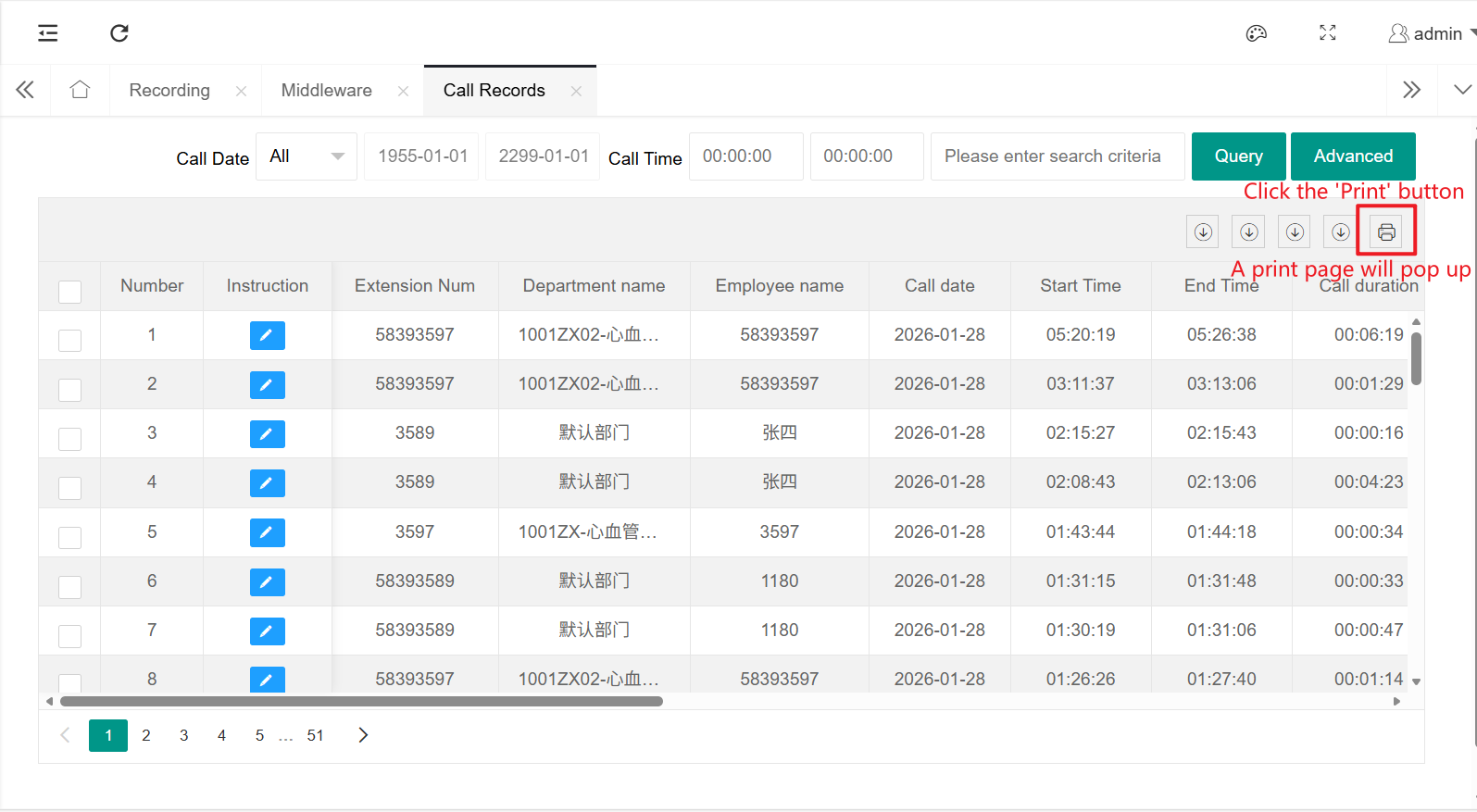
Set the printing format and then print it
2、Recording
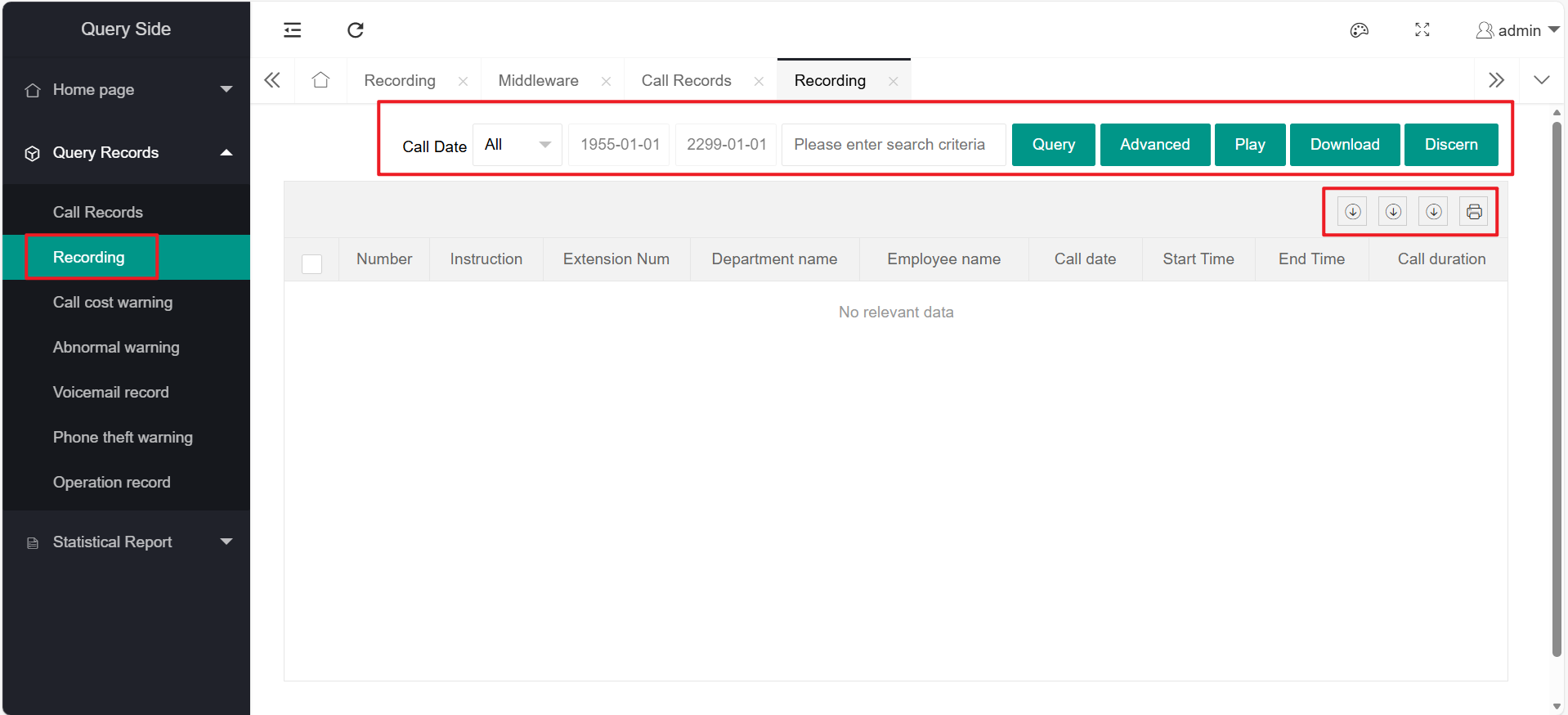
The call cost warning record function includes: query, advanced query, recording playback, recording download, export, and printing
(For the use of query, advanced query, export, and printing functions, please refer to the function introduction of "Call Records".)
Call cost warning record: It is to prevent the extension from exceeding the call cost, and then set up a call cost warning and make corresponding records
(1) Recording Playback
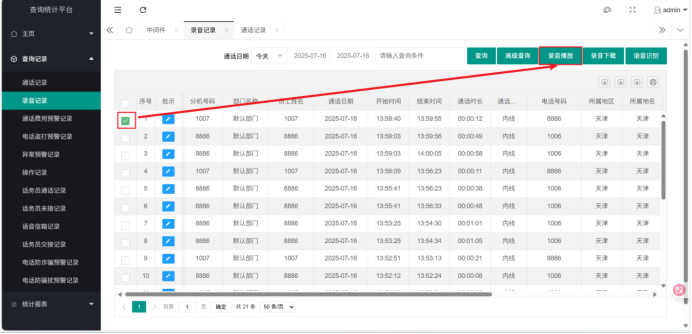
Select the recording you want to play and click the "Recording Playback" button
(2) Recording Download
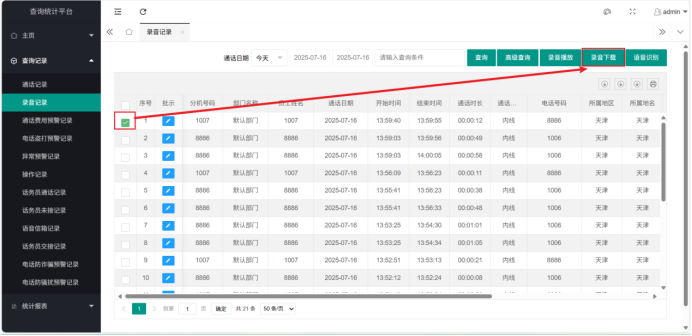
Select the recording you want to download and click the "Recording Download" button
Check the recordings you want to download and click the "Recording Download" button
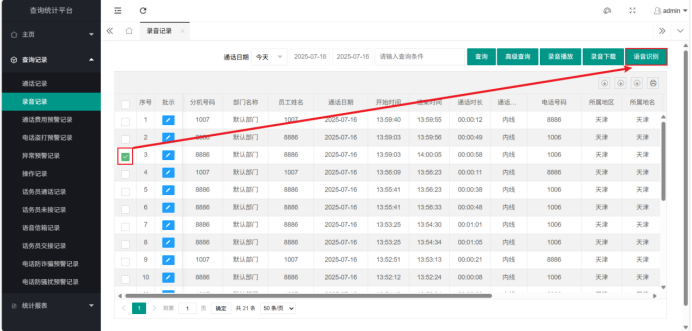
(3) Voice Recognition
Check the recordings you want to recognize and click the "Voice Recognition" button
3、Call Cost Warning Record
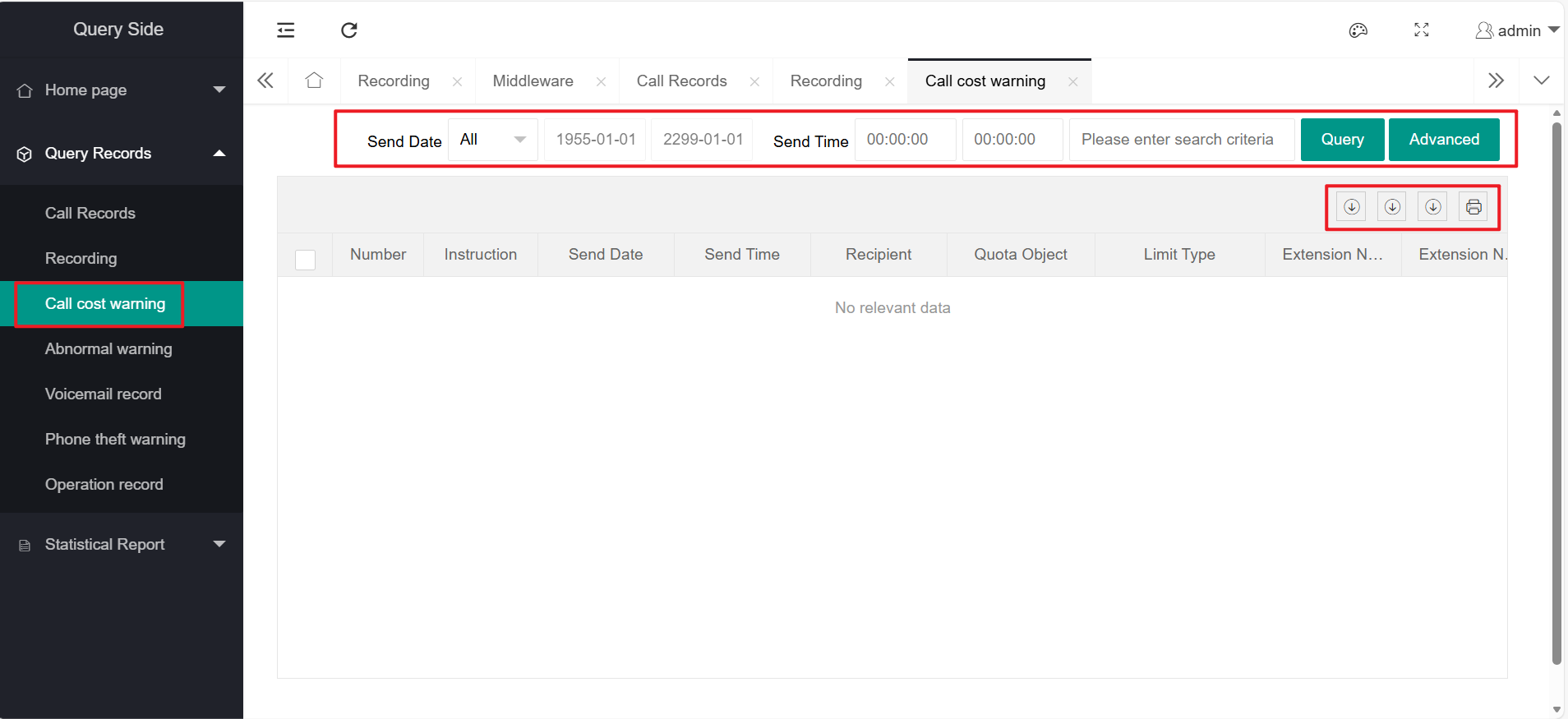
The functions of receiving abnormal warning records include: query, advanced query, export, and printing
Please refer to the function introduction of "Call Log" for specific function usage
4、Call Theft Warning Record
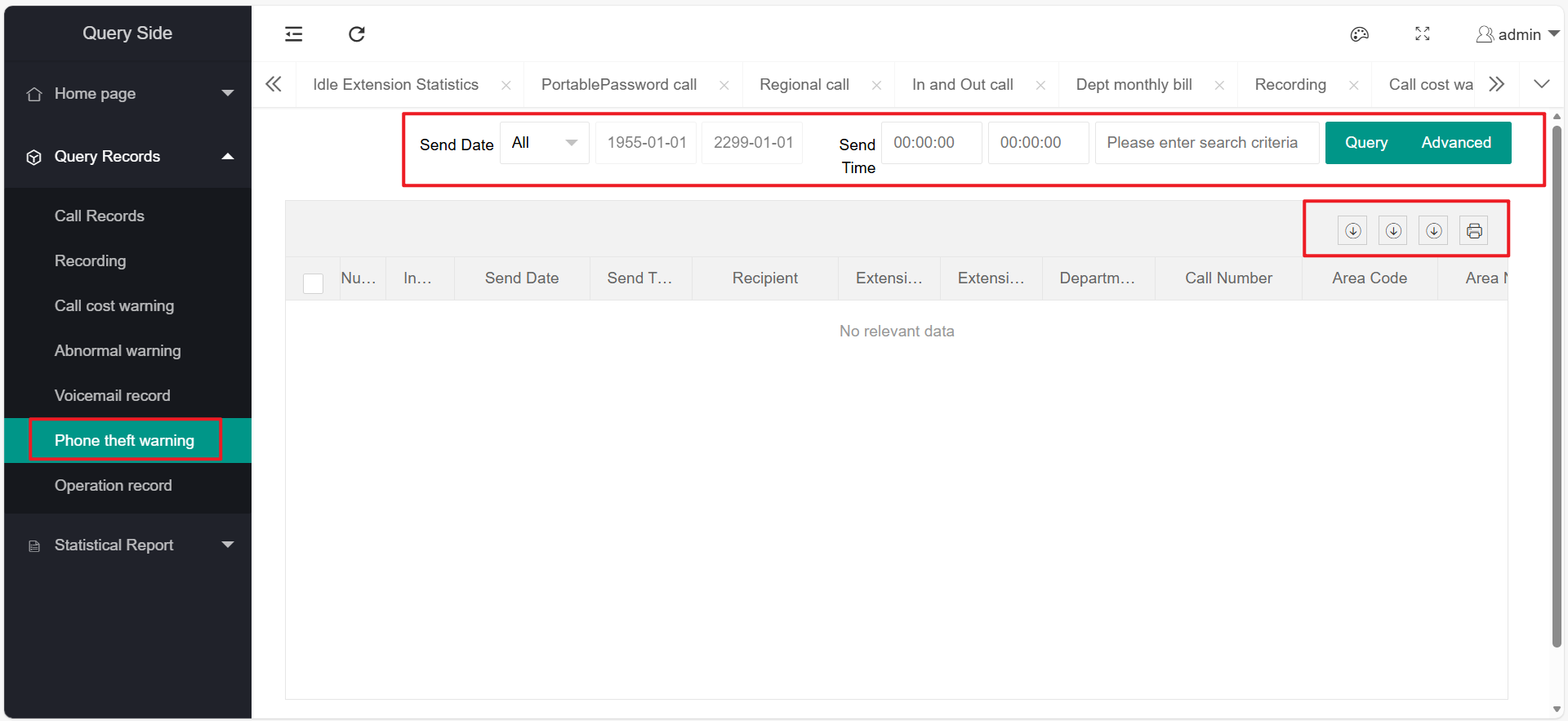
The functions of call theft warning records include: query, advanced query, export, and printing
Please refer to the function introduction of "Call Log" for specific function usage
5、Voice Mail Records
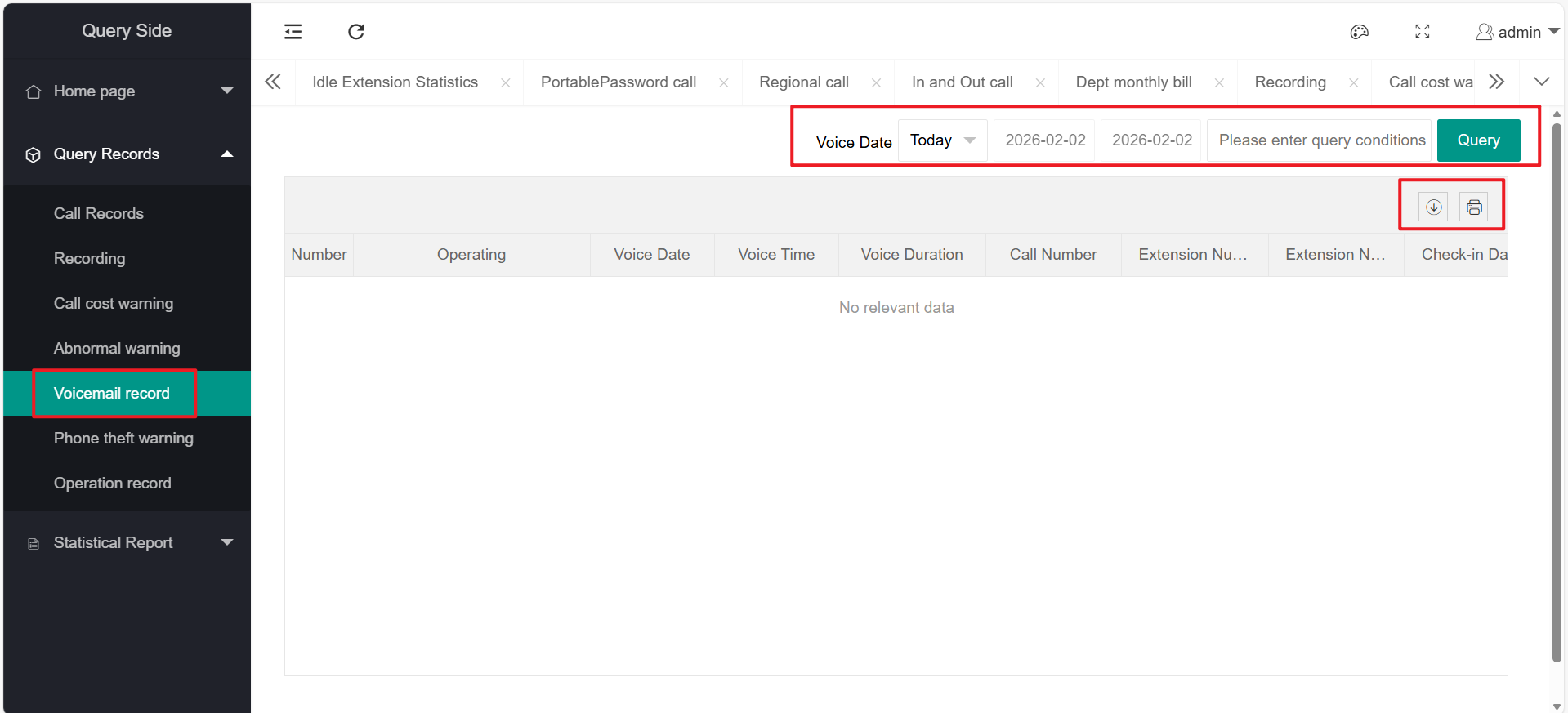
The voice mail record function includes: query, export, and print
Please refer to the function introduction of "Call Log" for specific function usage
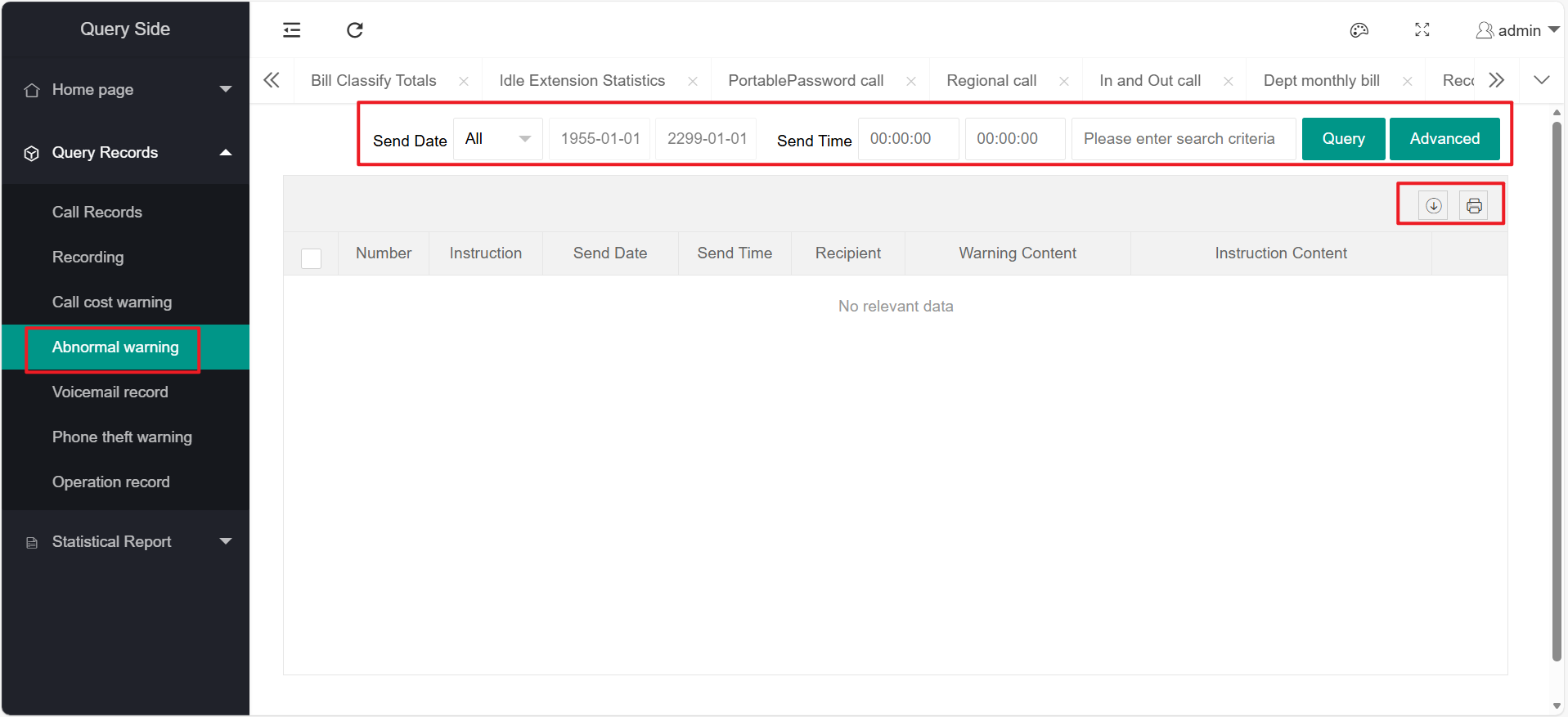
6、Abnormal Warning Record
The functions of abnormal warning records include: query, advanced query, export, and printing
Please refer to the function introduction of "Call Log" for specific function usage
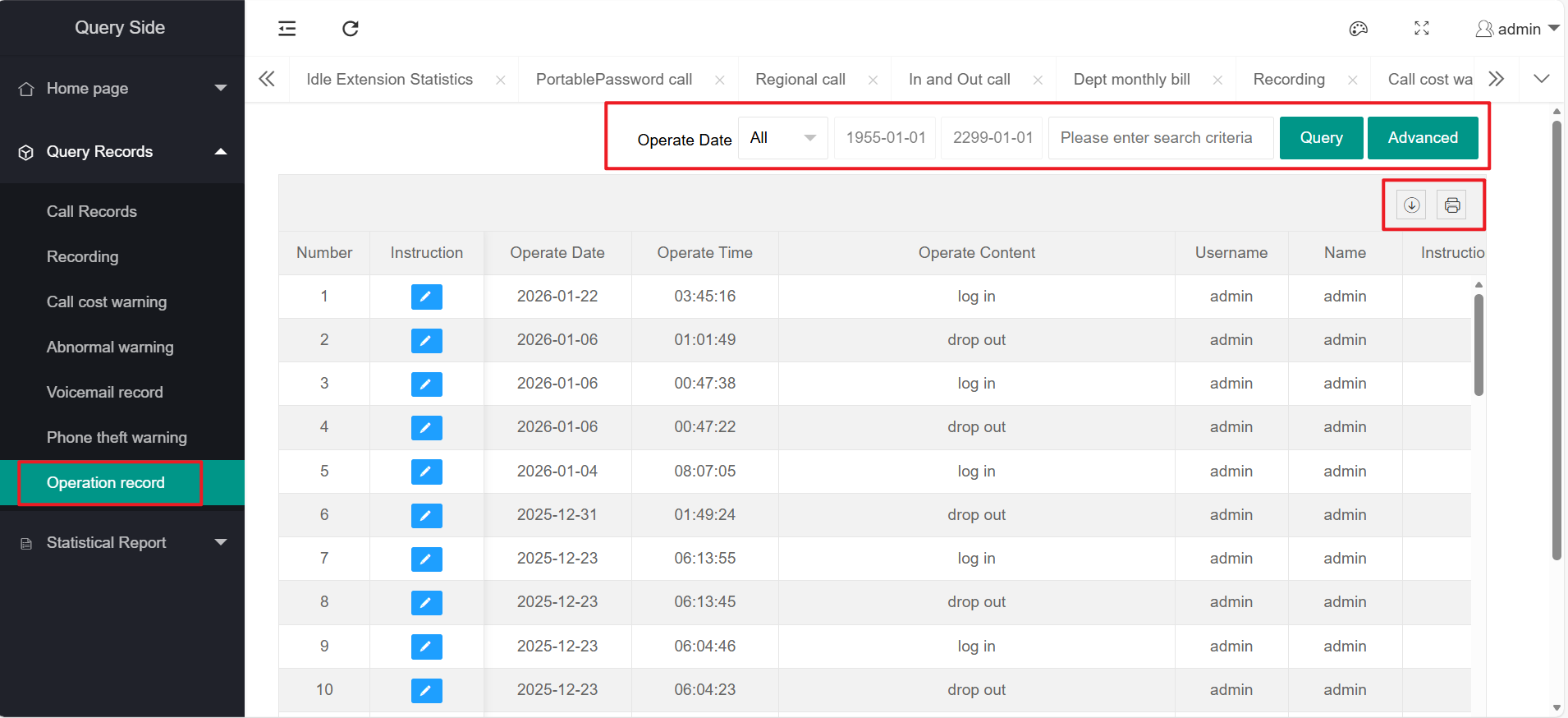
7、Operation Record
The operation record functions include: query, advanced query, export, and printing
Please refer to the function introduction of "Call Log" for specific function usage
四、Statistics Report
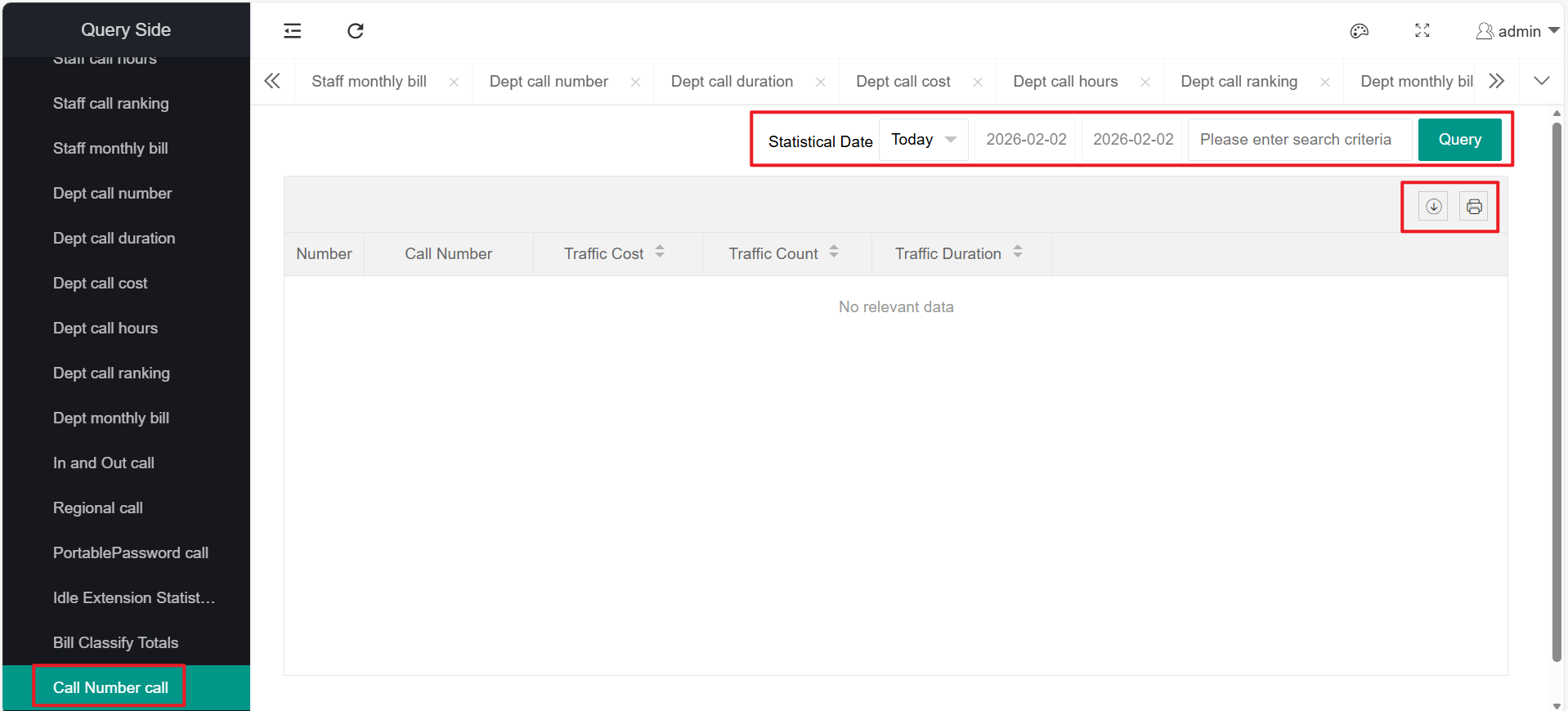
The statistics report mainly has the following functions as shown in the figure:
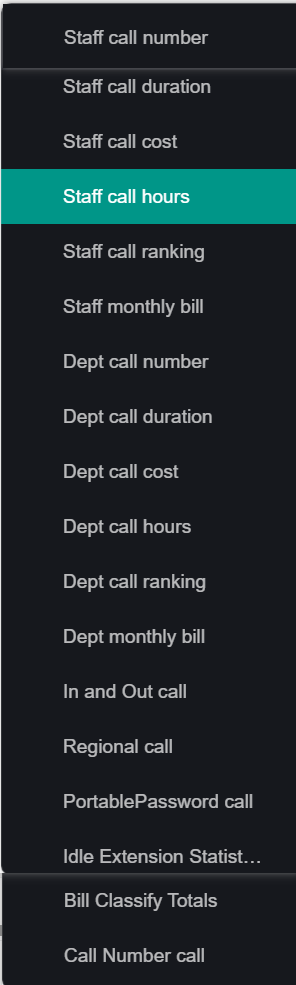
These report functions can query, export, and print the corresponding statistical records, and the query records can be displayed in the form of statistical charts.
Query the corresponding report according to actual needs.
The following takes "Employee Call Volume Statistics" as an example to illustrate the query (including statistical charts), export, and print.
1、Employee Call Volume Statistics
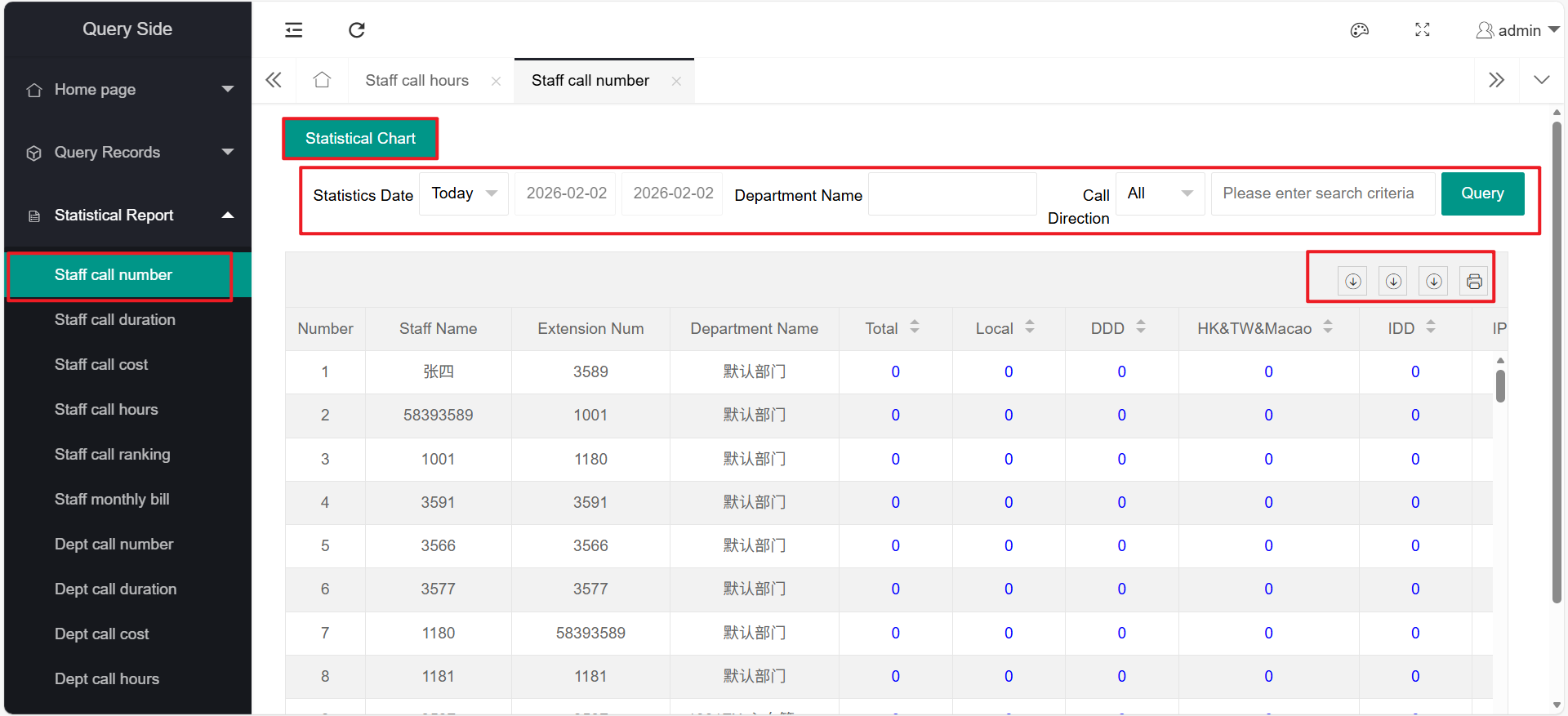
The employee call volume statistics function includes: query, export, print
It can also be displayed in the form of "statistical charts".
(1) Query
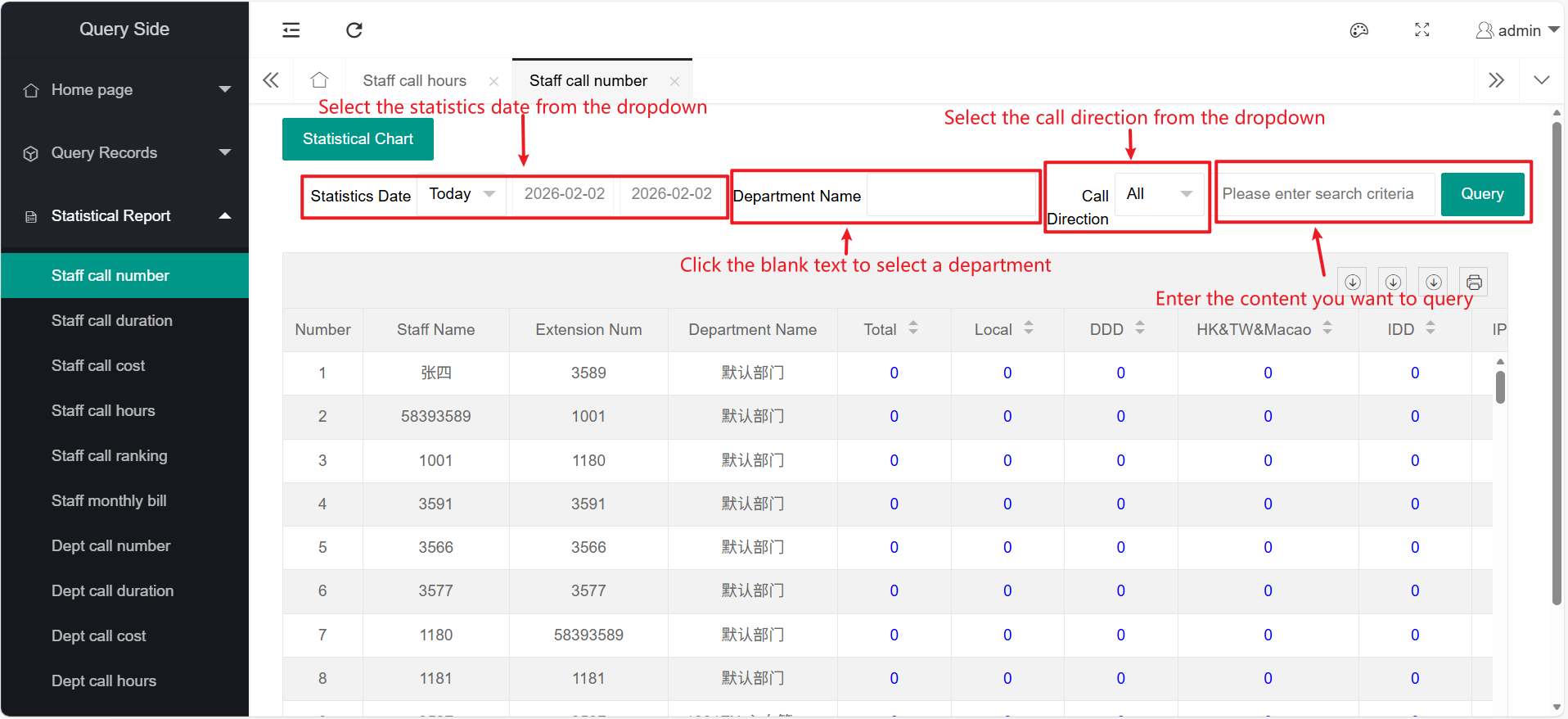
Ordinary query of employee call volume, you can select the statistical date and time period to query, select the department to query, and the query conditions can be: employee department and department name
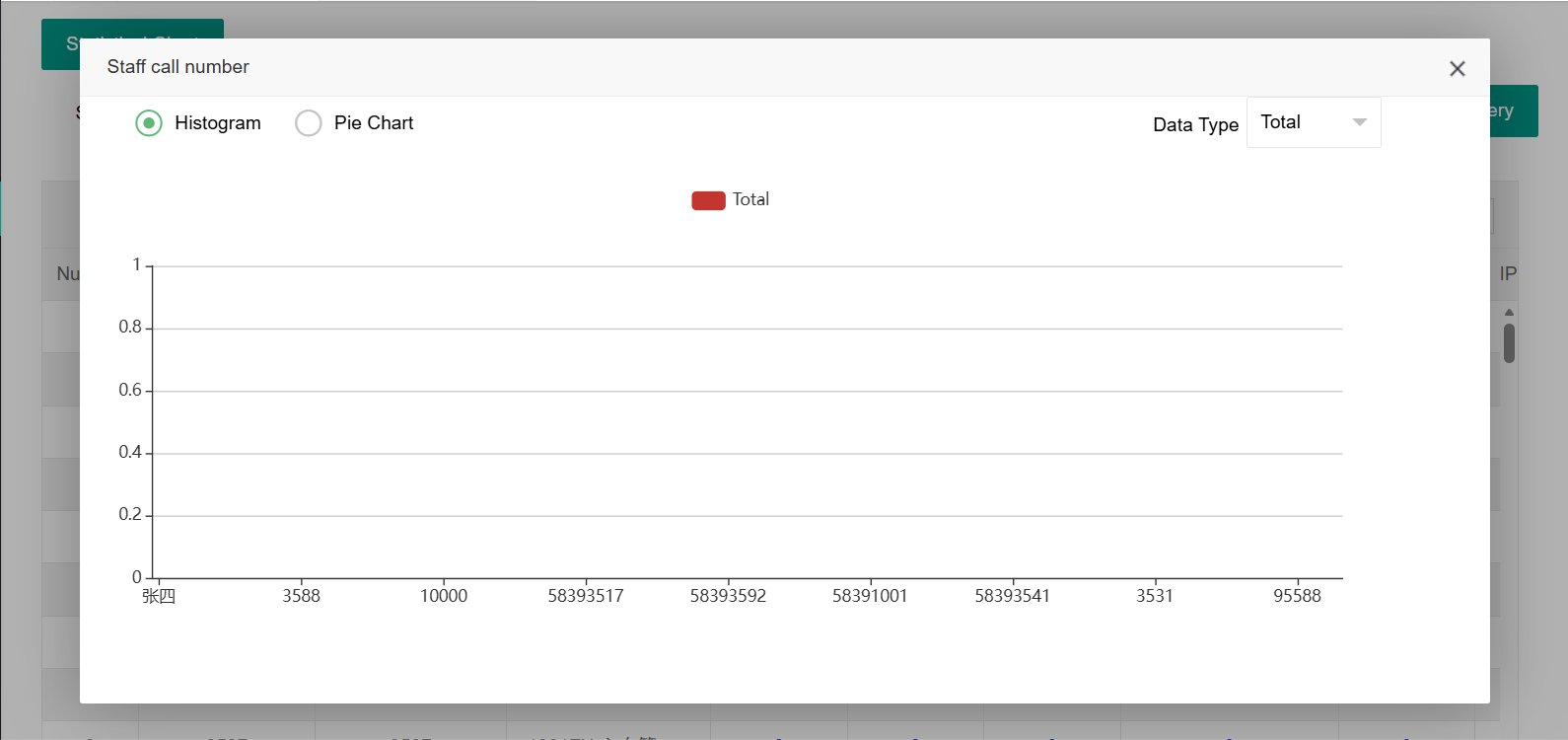
For easier viewing, you can click on "Statistics Chart" to view "Bar Chart" or "Pie Chart". For example:
(2) Export
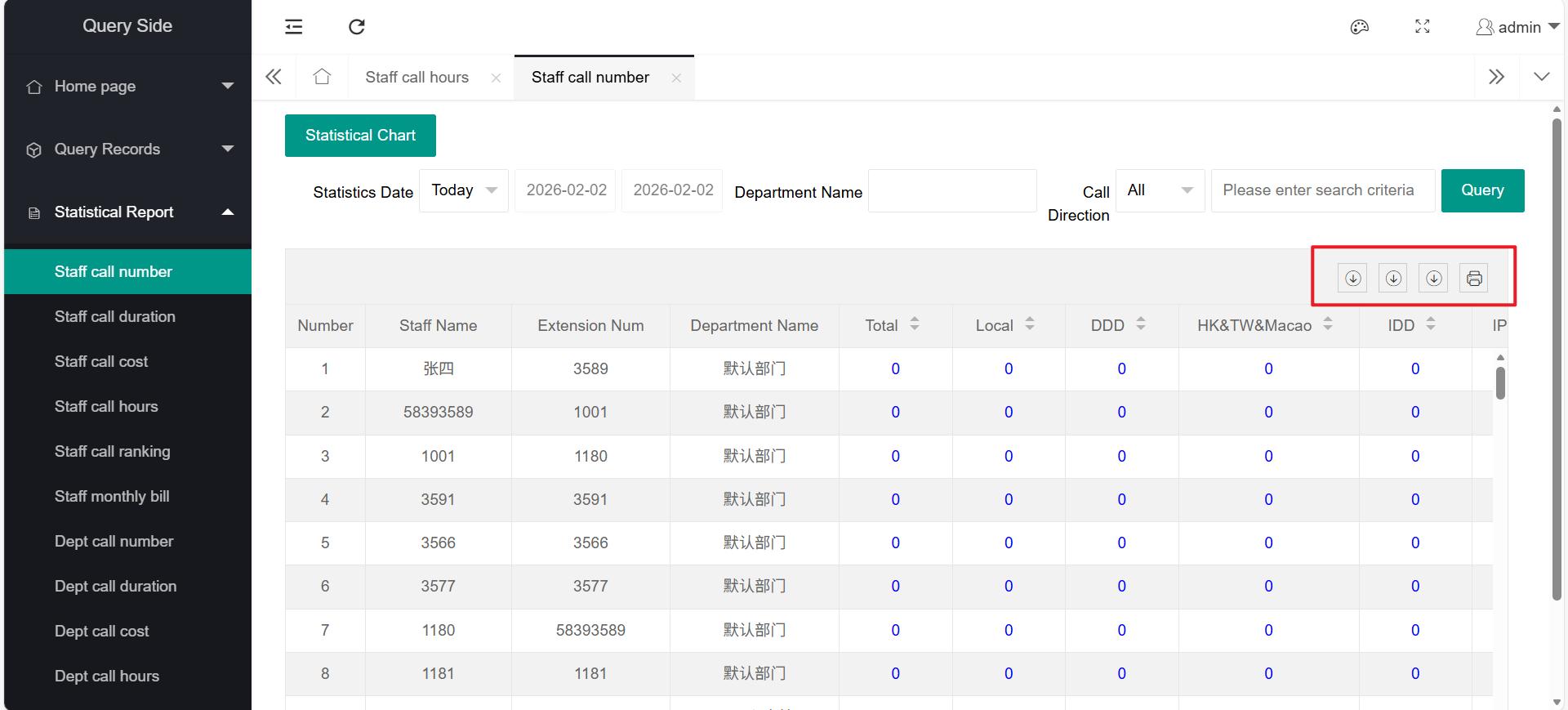
After querying the records, click "Export", select the file type to export according to your needs, and export the call records. For example:
Select the export file format according to your needs
(3) Print
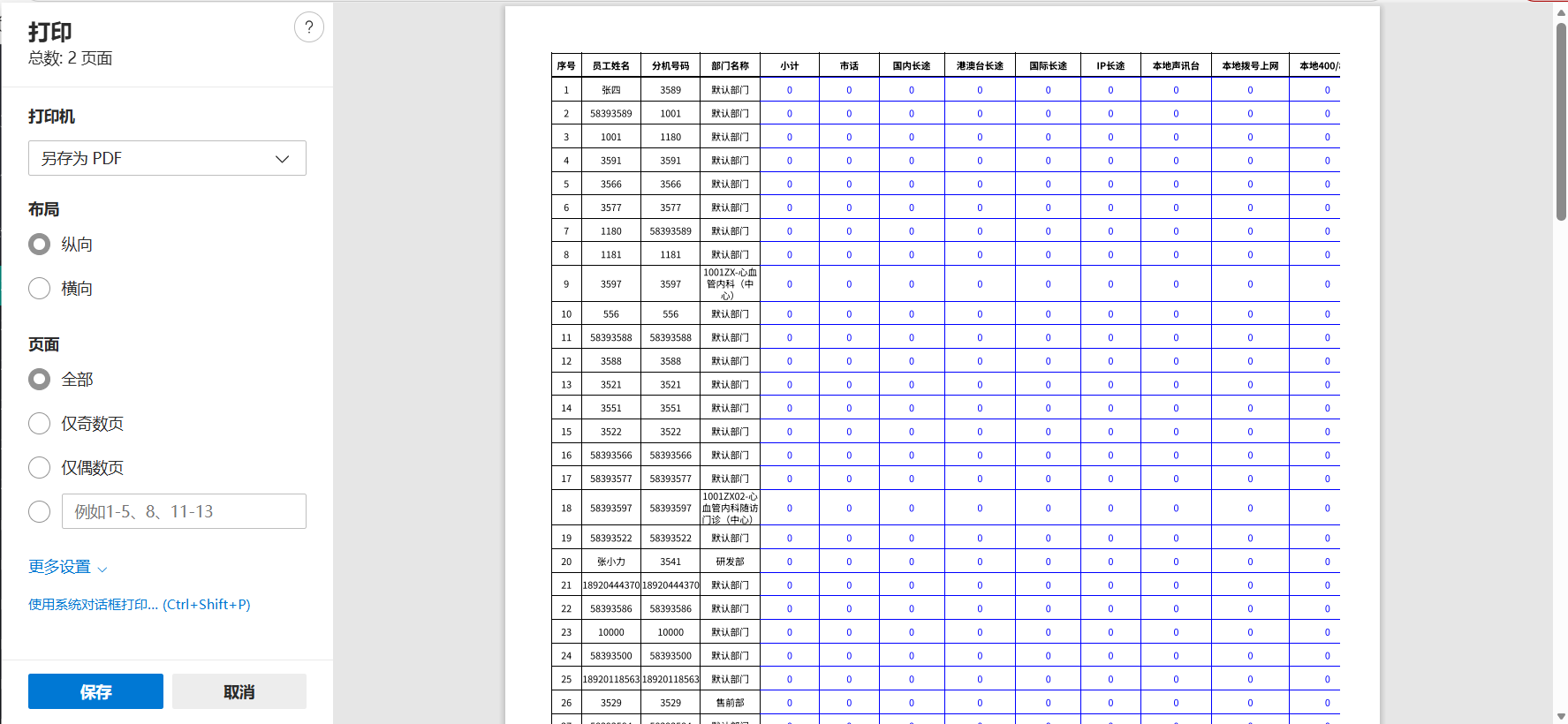
After querying the records, click "Print", set the print information, and click "Print" to print the records.
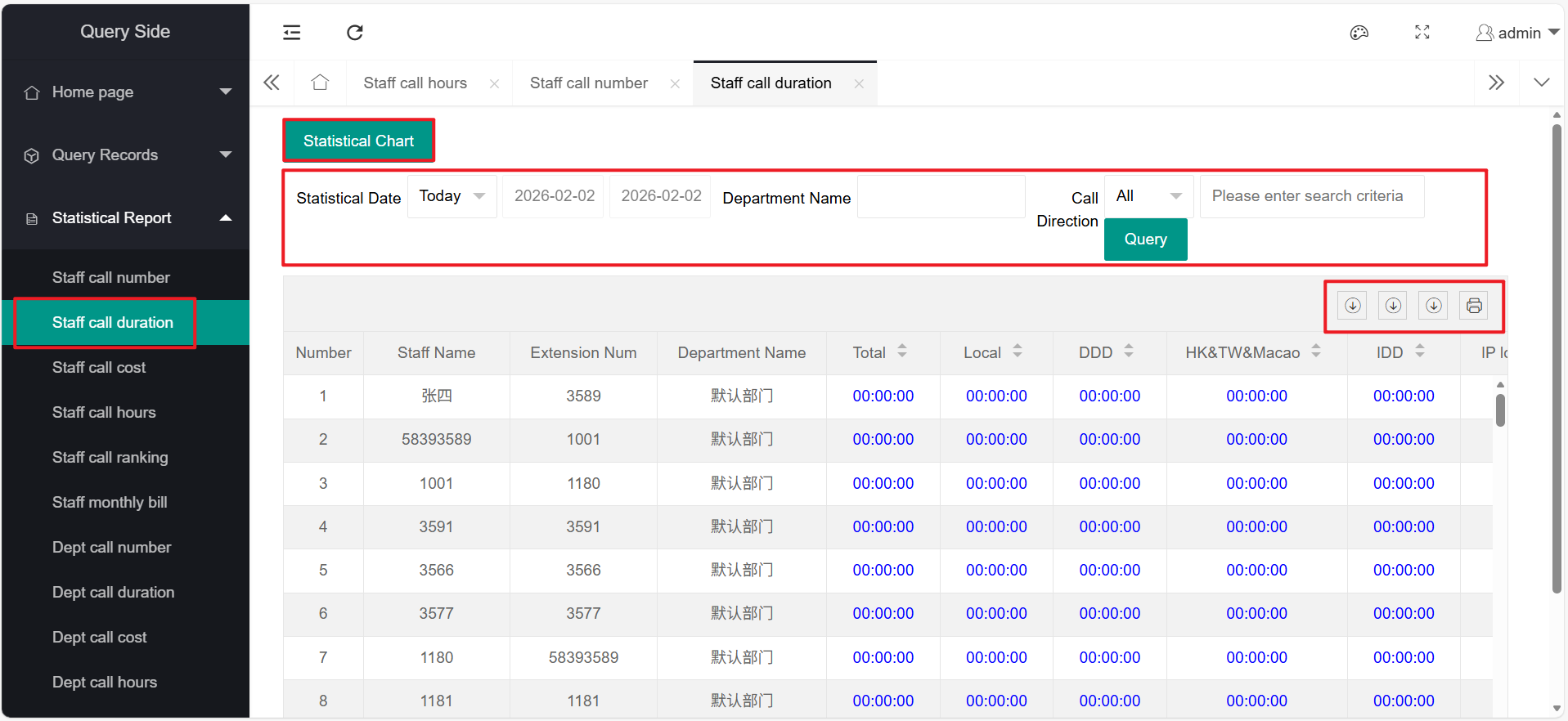
2、Employee Call Duration Statistics
The employee call duration statistics function includes: query, export, print
It can also be displayed in the form of "statistical charts".
For specific function usage, please refer to the function introduction of "Employee Call Volume Statistics".
3、Employee Call Cost Statistics
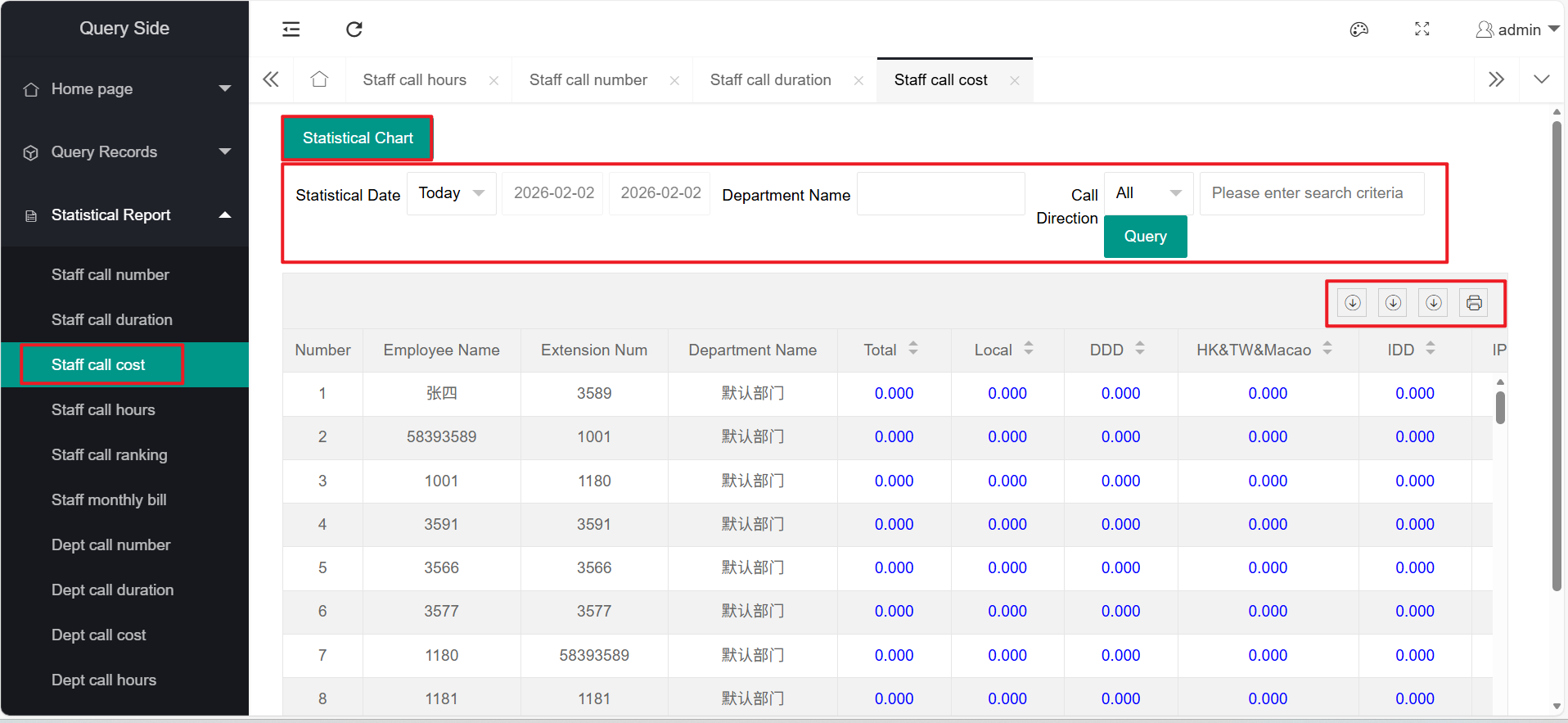
The employee call cost statistics function includes: query, export, print
It can also be displayed in the form of "statistical charts".
For specific function usage, please refer to the function introduction of "Employee Call Volume Statistics".
4、Employee Call Time Period Statistics
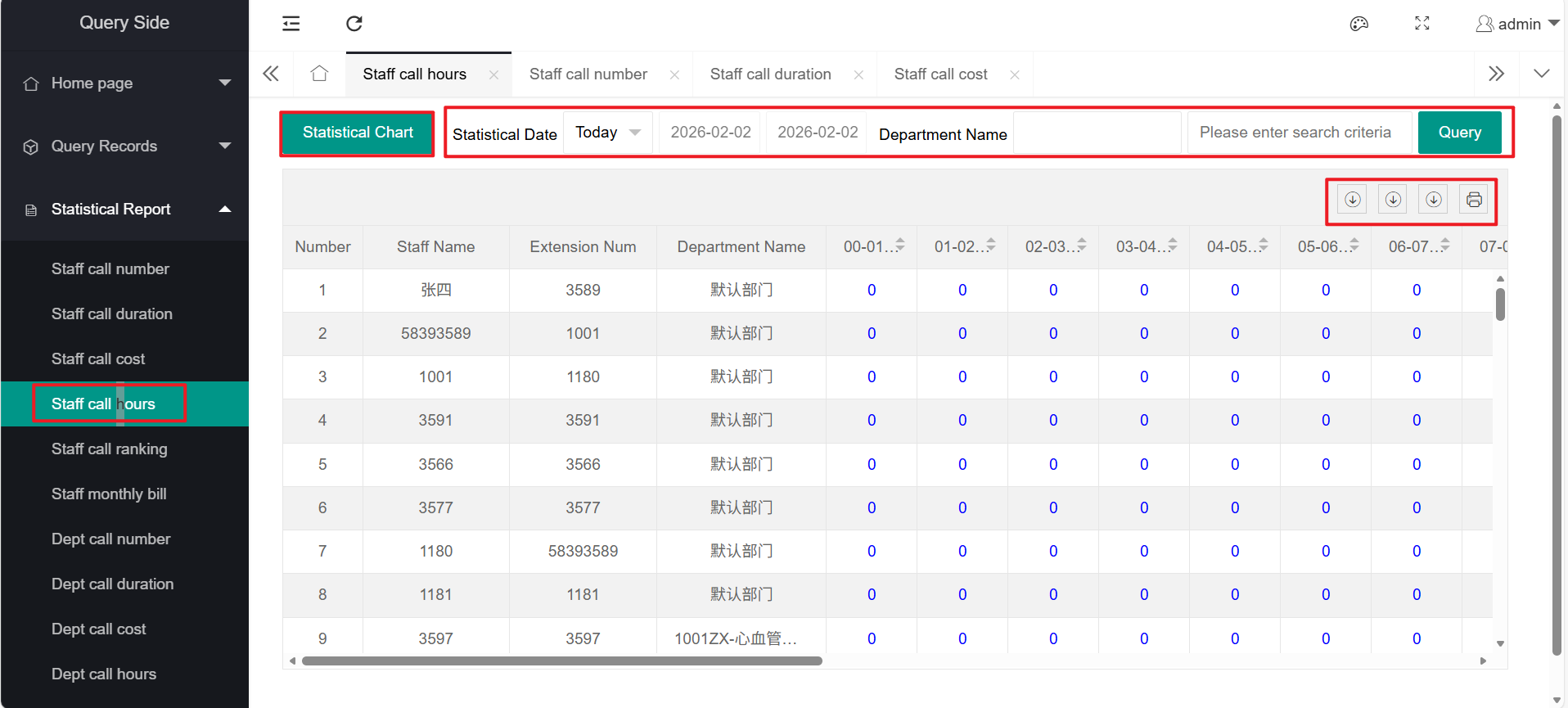
The employee call time period statistics function includes: query, export, print
It can also be displayed in the form of "statistical charts".
For specific function usage, please refer to the function introduction of "Employee Call Volume Statistics".
5、Employee Call Ranking
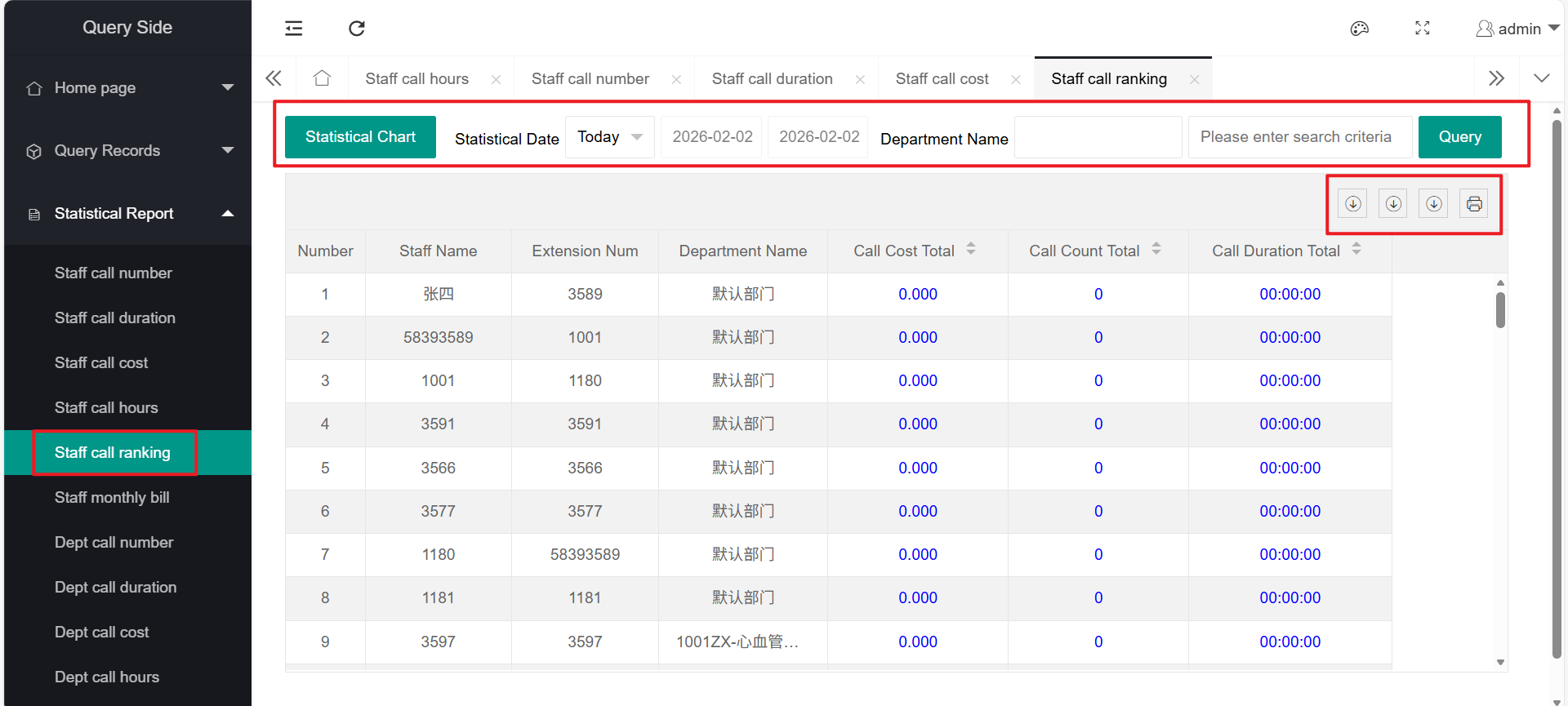
The employee call ranking function includes: query, export, print
It can also be displayed in the form of "statistical charts".
For specific function usage, please refer to the function introduction of "Employee Call Volume Statistics".
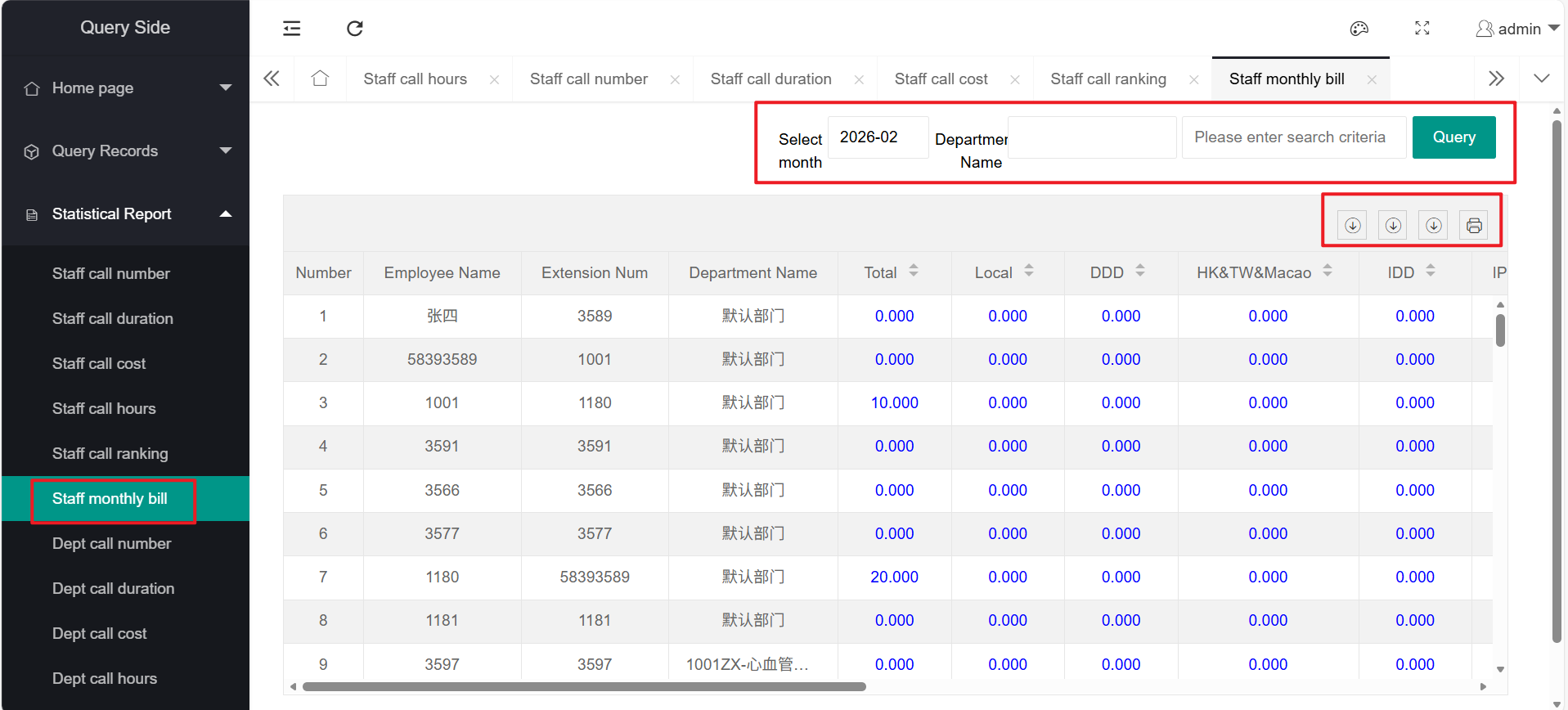
6、Employee Monthly Bill
The employee monthly bill function includes: query, export, print
For specific function usage, please refer to the function introduction of "Employee Call Volume Statistics".
7、Department Call Volume Statistics
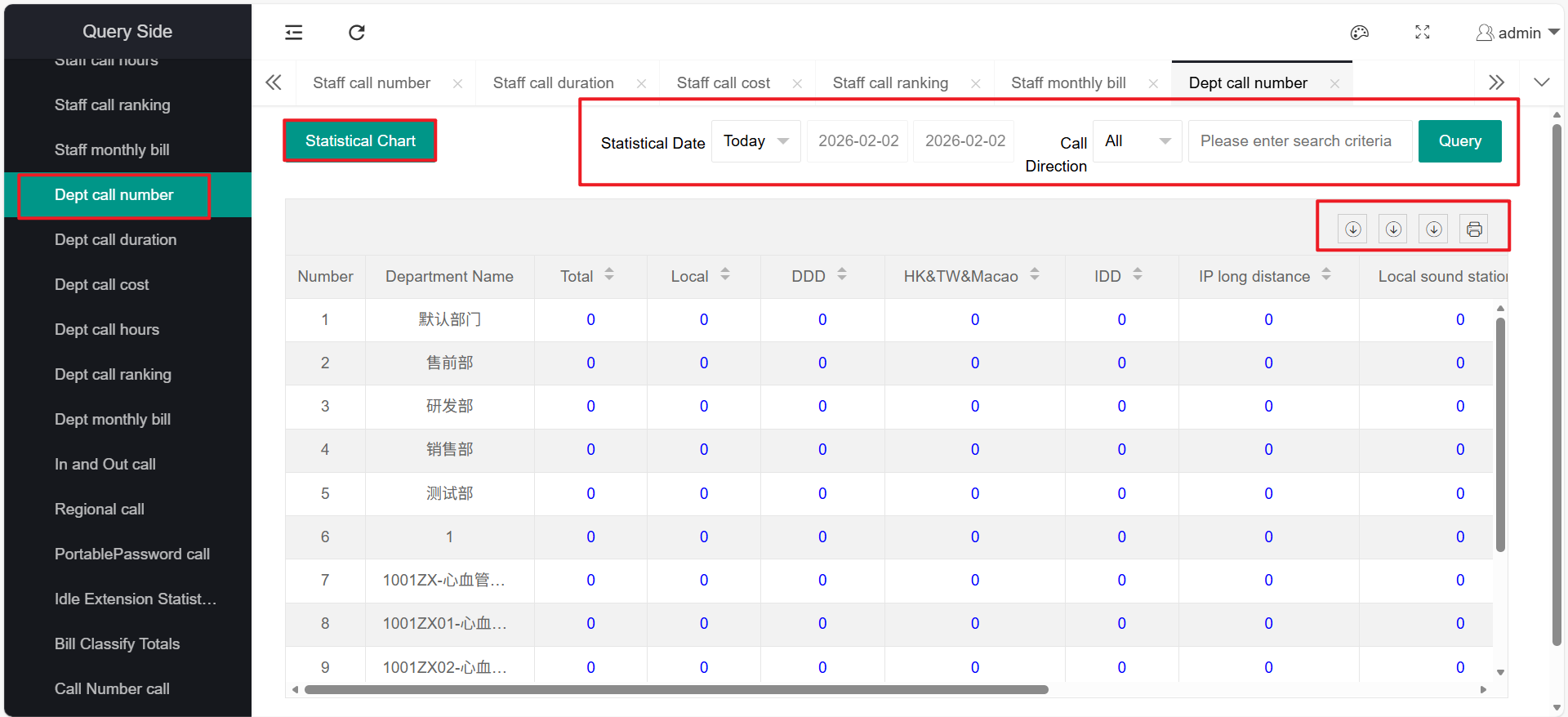
The department call volume statistics function includes: query, export, print
It can also be displayed in the form of "statistical charts".
For specific function usage, please refer to the function introduction of "Employee Call Volume Statistics".
8、Department Call Duration Statistics
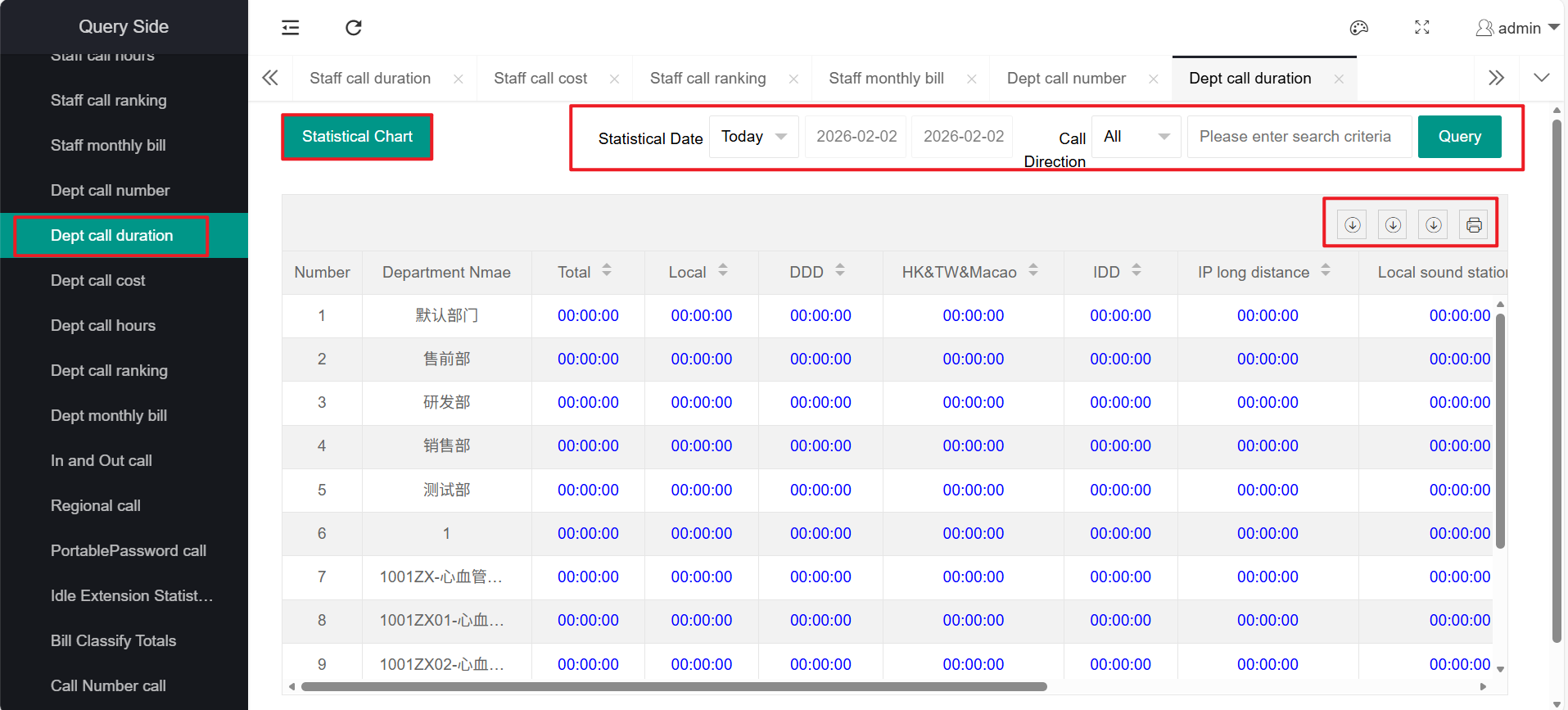
The department call duration statistics function includes: query, export, print
It can also be displayed in the form of "statistical charts".
For specific function usage, please refer to the function introduction of "Employee Call Volume Statistics".
9、Department Call Cost Statistics
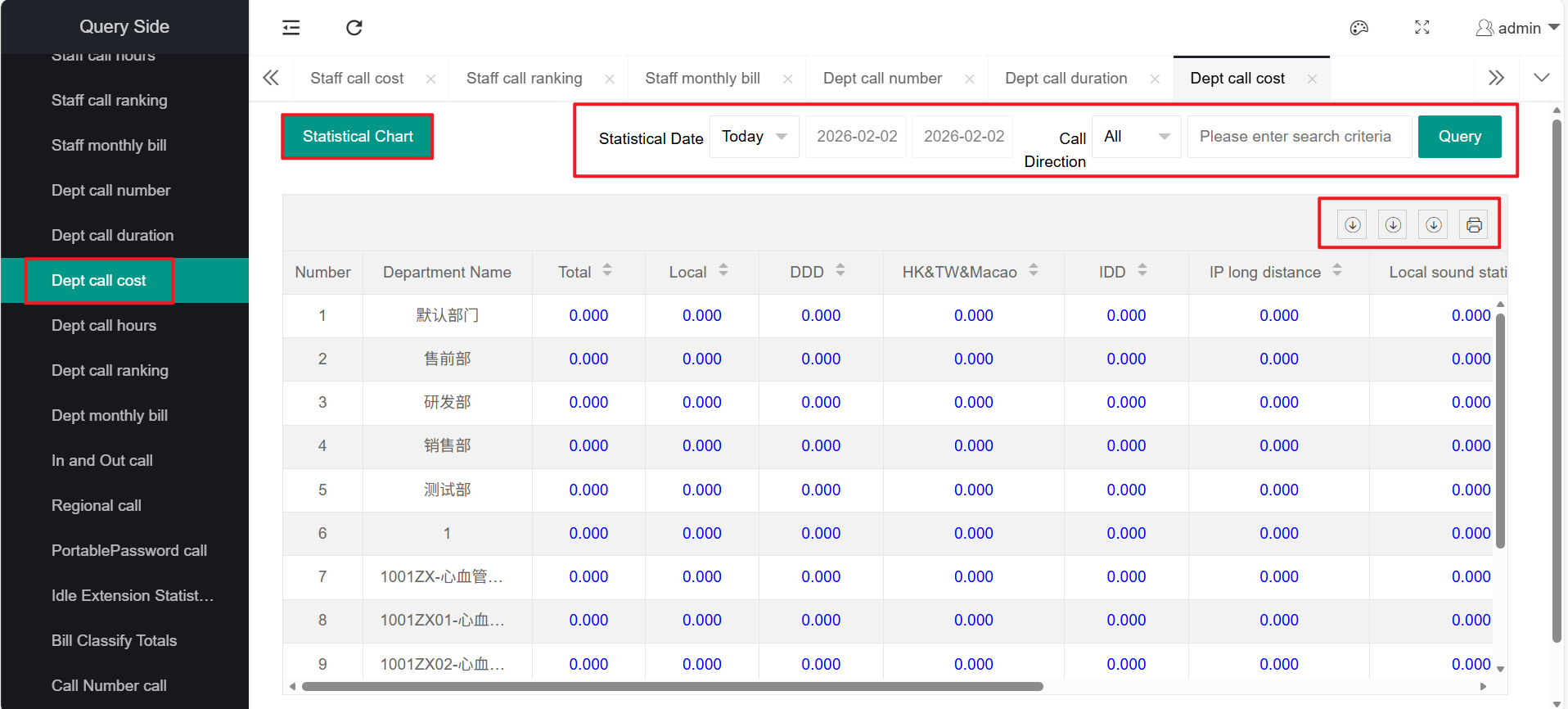
The department call cost statistics function includes: query, export, print
It can also be displayed in the form of "statistical charts".
For specific function usage, please refer to the function introduction of "Employee Call Volume Statistics".
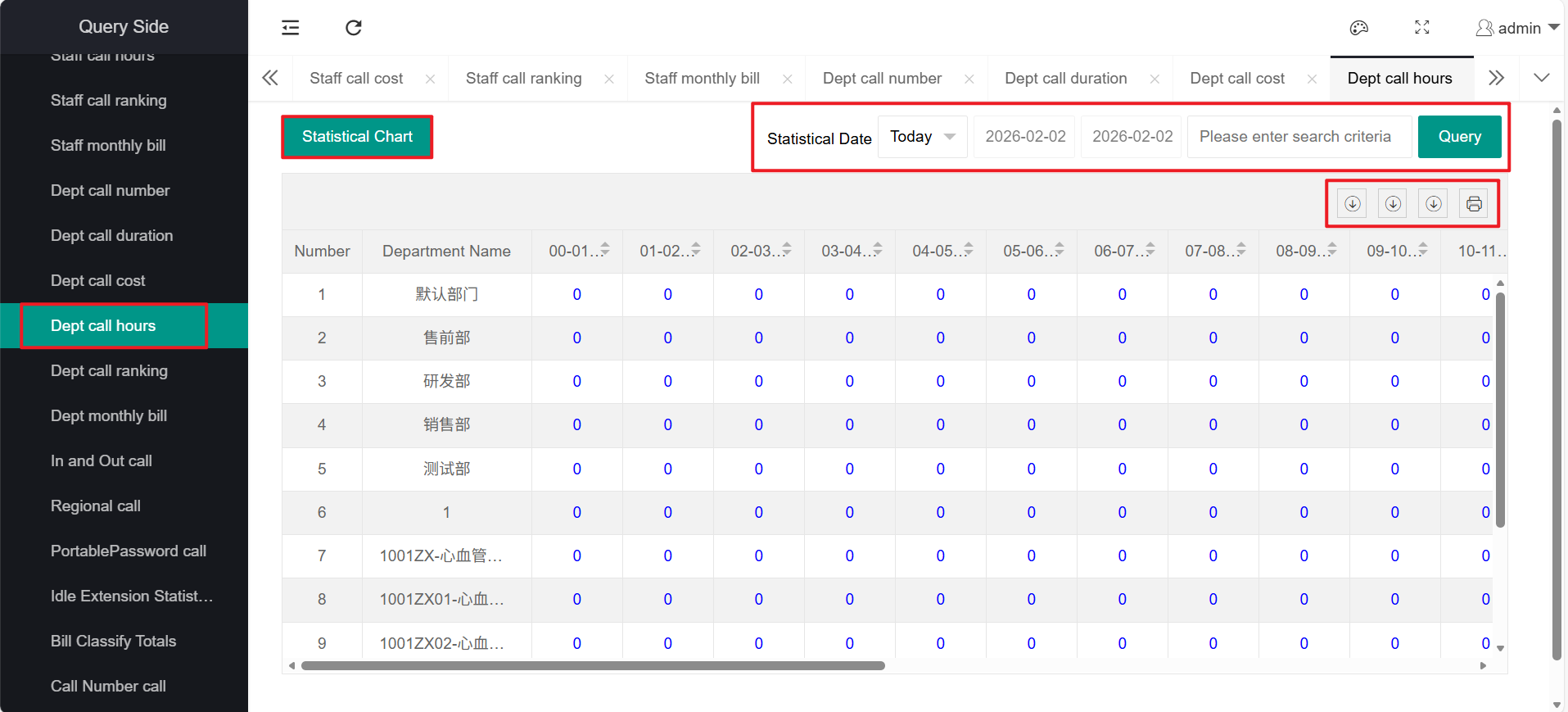
10、Department Call Time Period Statistics
The department call time period statistics function includes: query, export, print
It can also be displayed in the form of "statistical charts".
For specific function usage, please refer to the function introduction of "Employee Call Volume Statistics".
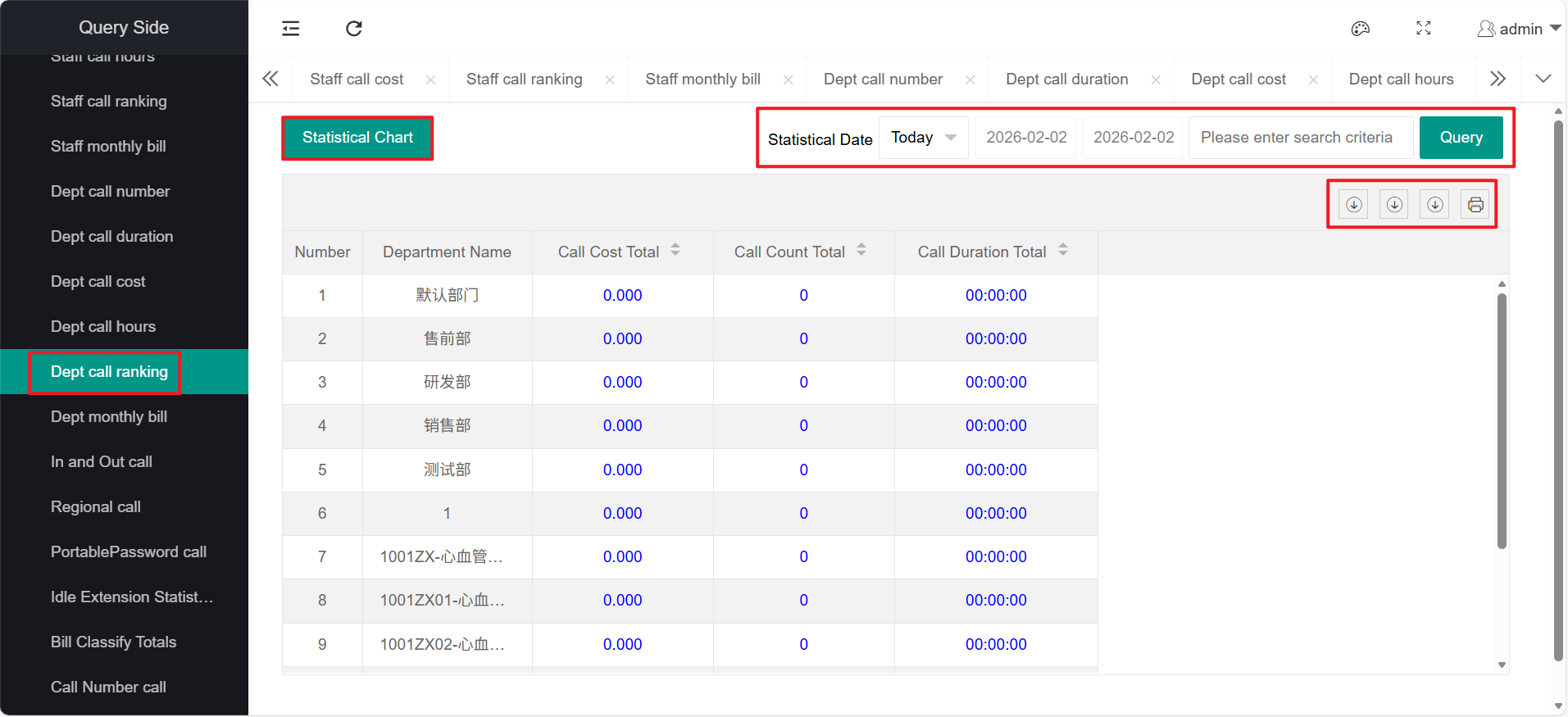
11、Department Call Ranking
The department call ranking function includes: query, export, print
It can also be displayed in the form of "statistical charts".
For specific function usage, please refer to the function introduction of "Employee Call Volume Statistics".
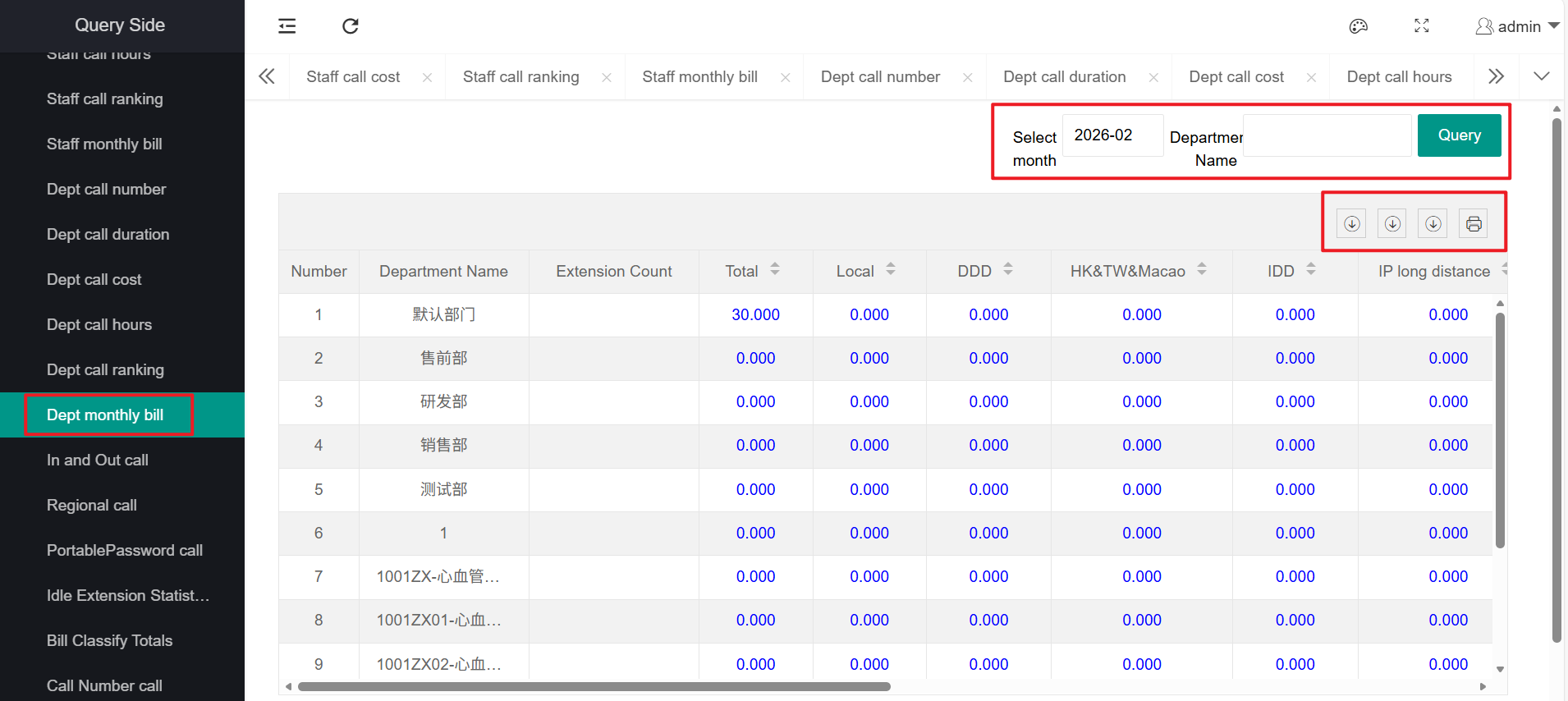
12、Department Monthly Bill
The department monthly bill function includes: query, export, print
It can also be displayed in the form of "statistical charts".
For specific function usage, please refer to the function introduction of "Employee Call Volume Statistics".
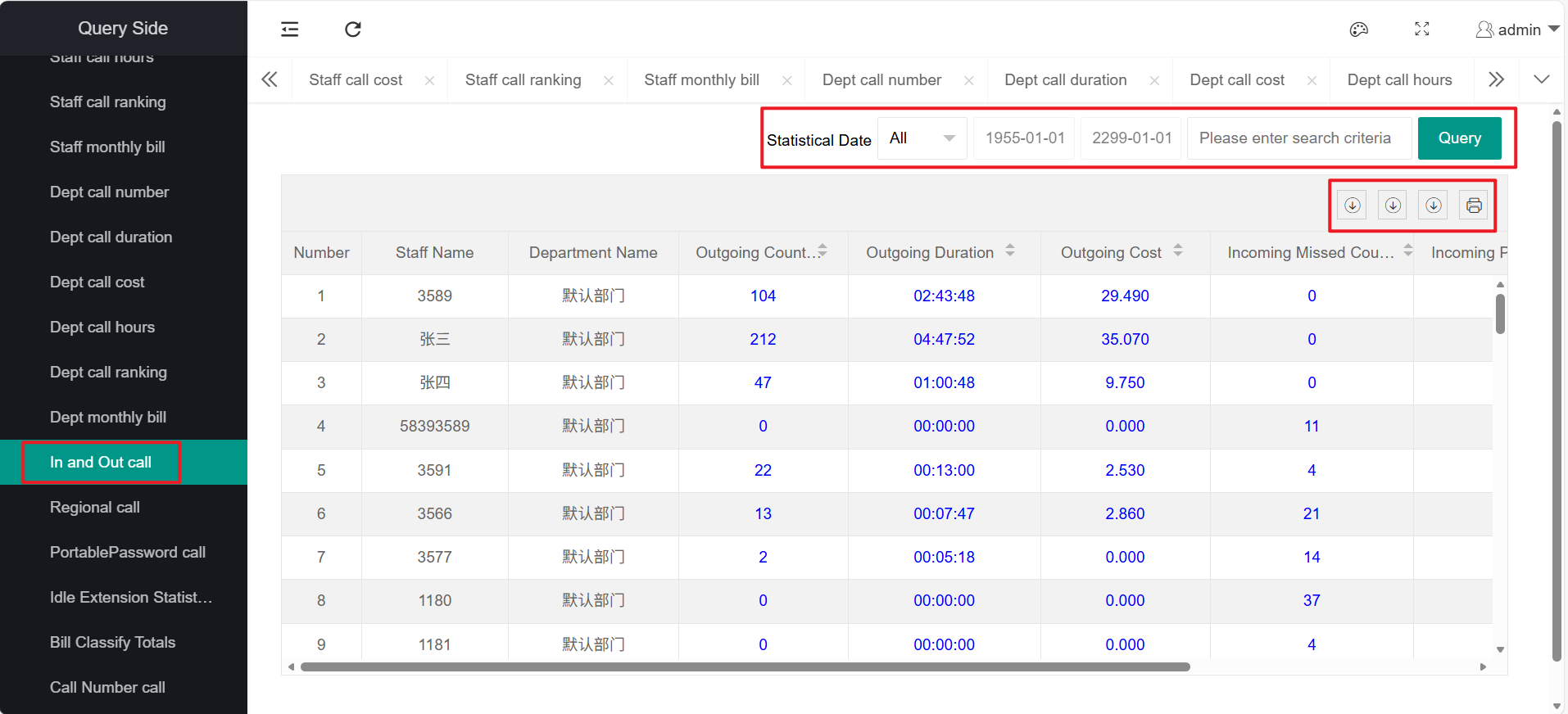
13、Incoming and Outgoing Call Number Statistics
The incoming and outgoing call number statistics function includes: query, export, print
For specific function usage, please refer to the function introduction of "Employee Call Volume Statistics".
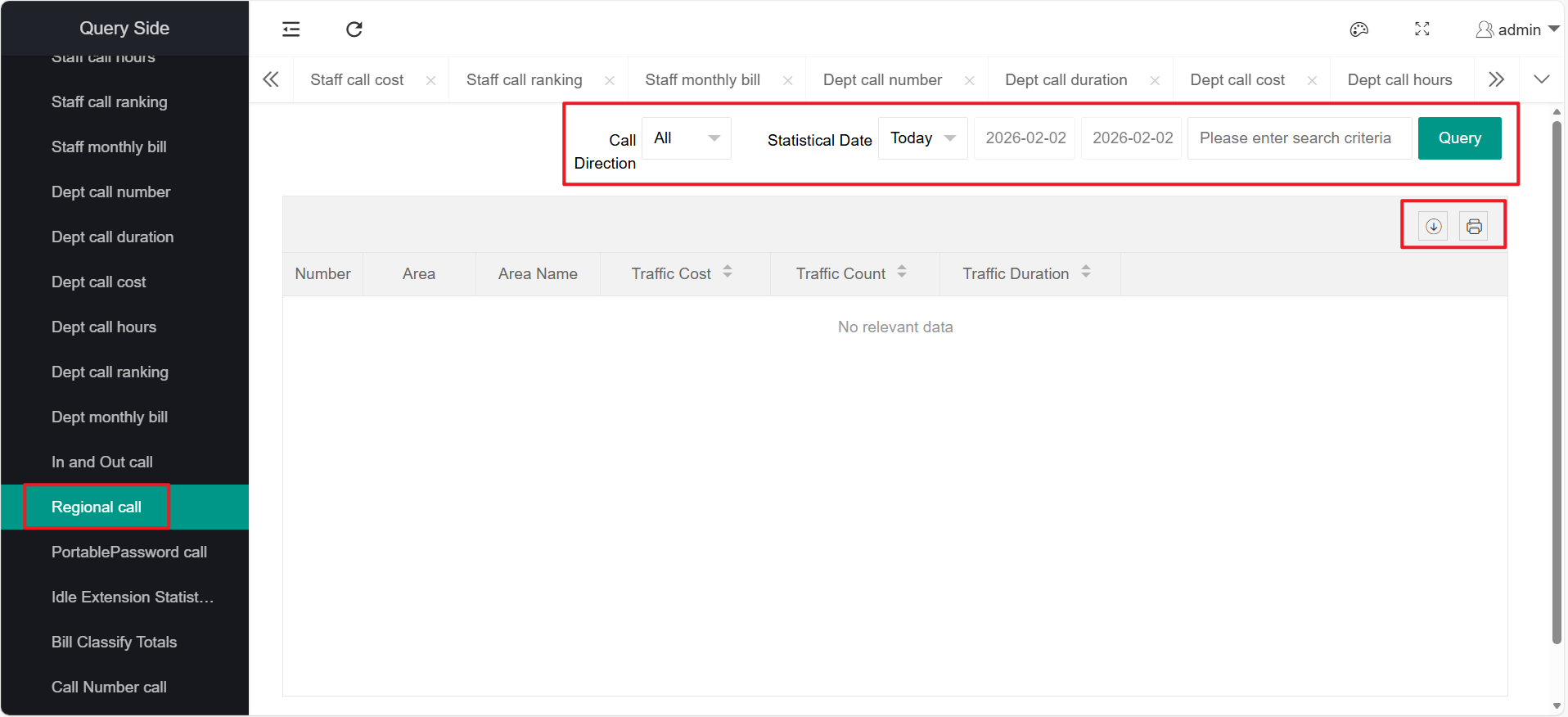
14、Regional Call Statistics
The regional call statistics function includes: query, export, print For specific function usage, please refer to the function introduction of "Employee Call Volume Statistics".
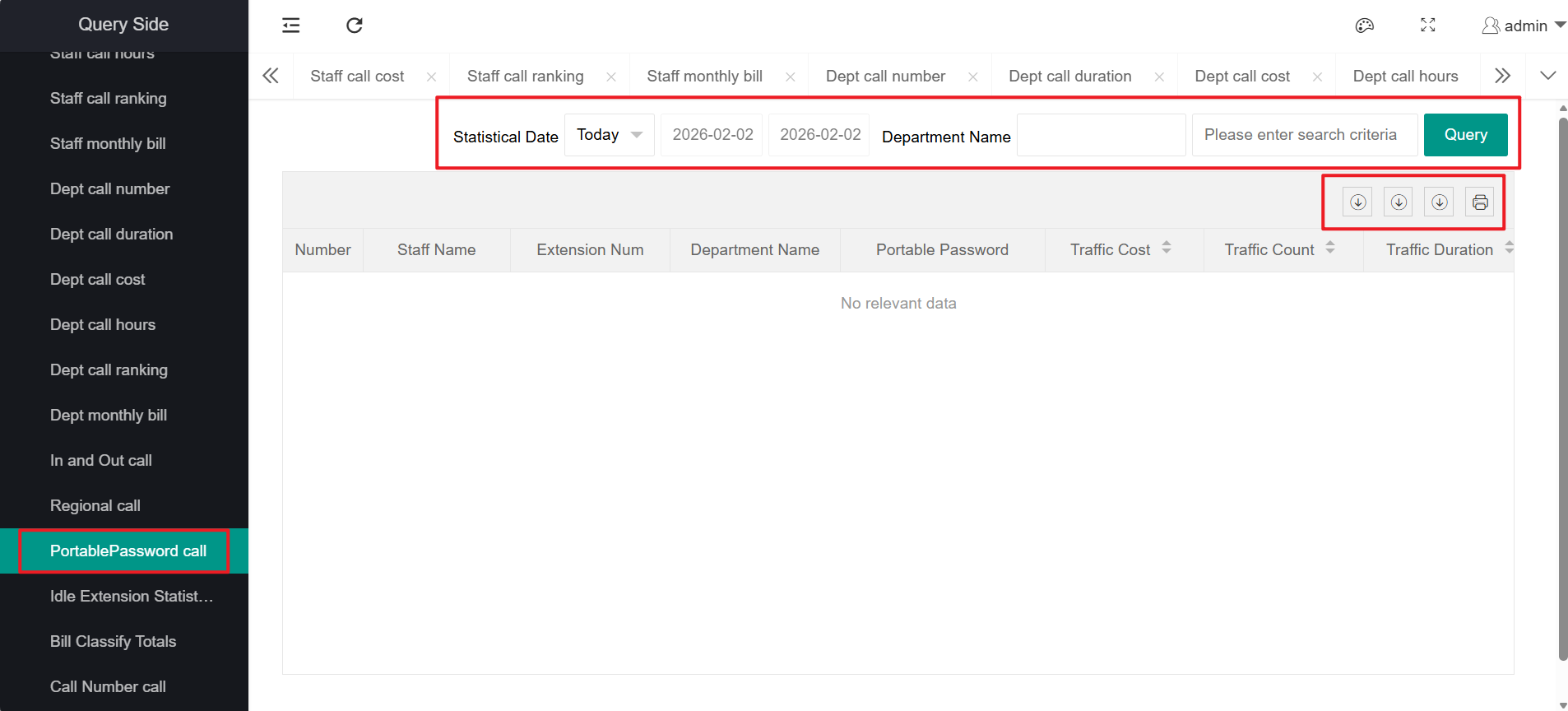
15、Personal Password Call Statistics
The personal password call statistics function includes: query, export, print For specific function usage, please refer to the function introduction of "Employee Call Volume Statistics".
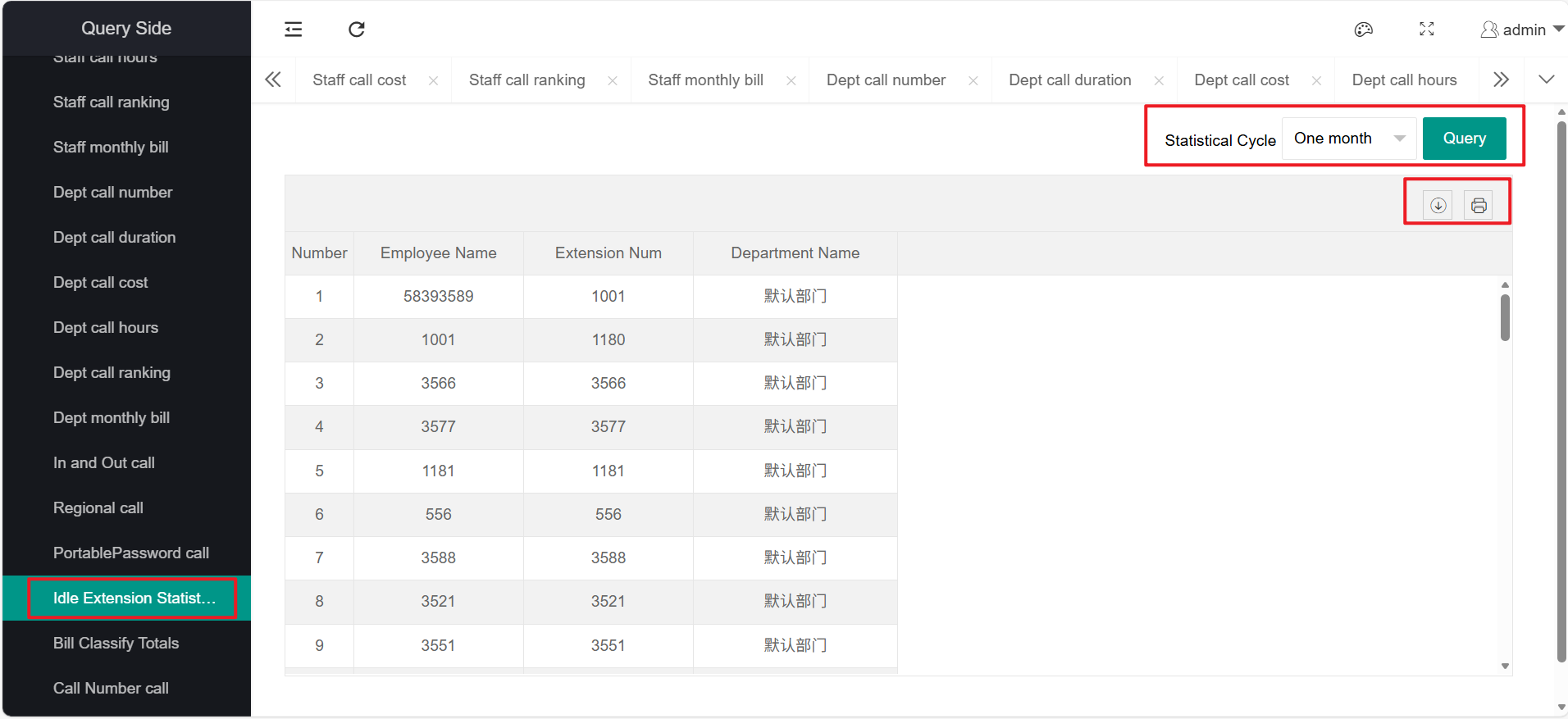
16、Idle Extension Statistics
The idle extension statistics function includes: query, export, print
For specific function usage, please refer to the function introduction of "Employee Call Volume Statistics".
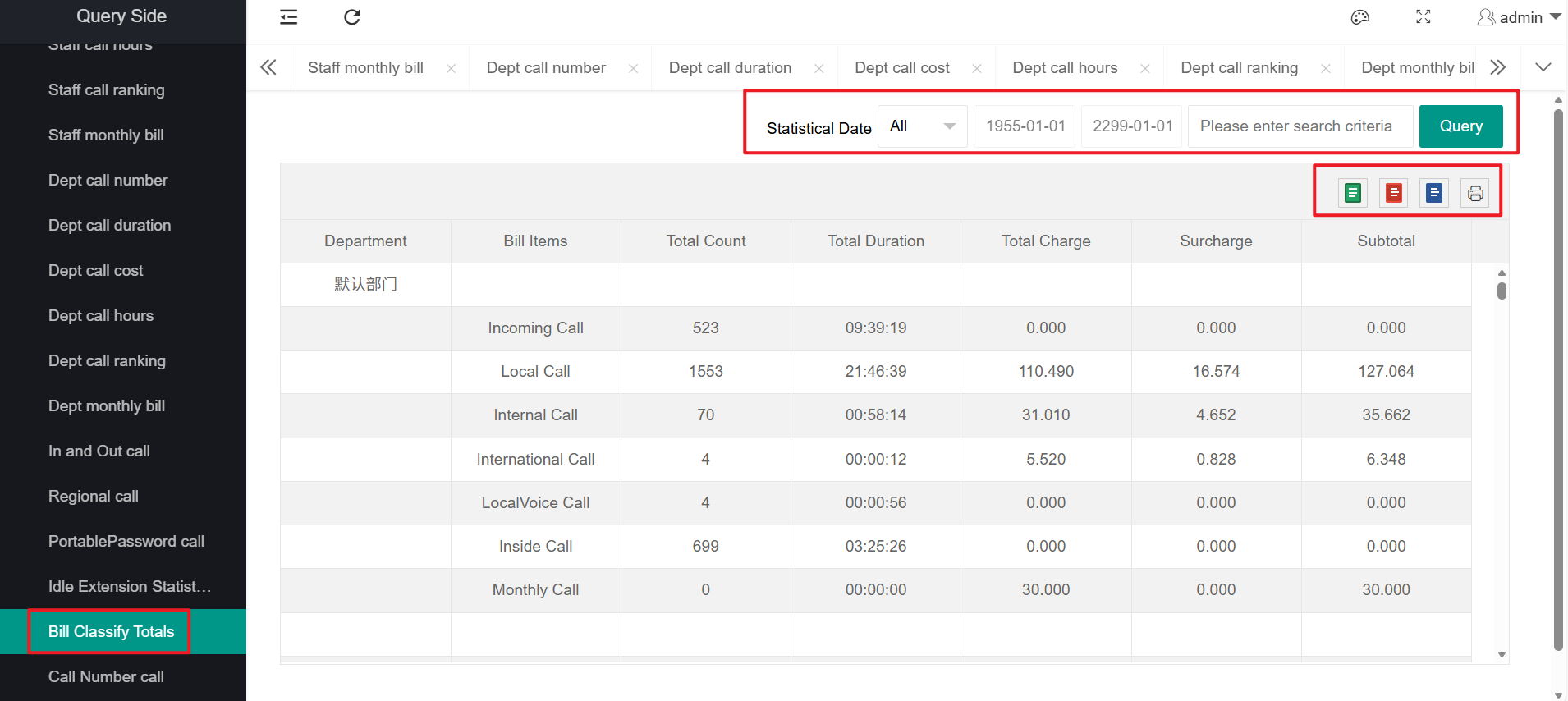
17、Bill Category Summary
The bill classification summary functions include: search, export, and print;
The bill classification summary mainly provides a clear display of all expenses of each extension in all departments, while also showing the total bill of all departments.
Different export formats can be selected, supporting Word, Excel, and PDF formats.
18、Telephone Traffic Statistics
The phone number call statistics functions include: query, export, and print;
Phone number call statistics mainly focus on performing call statistics for specified incoming numbers.